
Import, export, and native backup
Use The Transfers Center
Start a supported transfer, monitor progress, and recover from warnings or failures.
Prerequisites
- Open DataPad++ and the workspace where you want to organize your own connections and saved work.
- Connect with an account you are authorized to use, and keep it read-only until your task requires a reviewed write.
Quickstart
- 1
Open a transfer action
Choose Import, Export, Backup, Restore, or Transfer from a compatible object action. Unsupported operations stay disabled with the runtime-manifest reason.
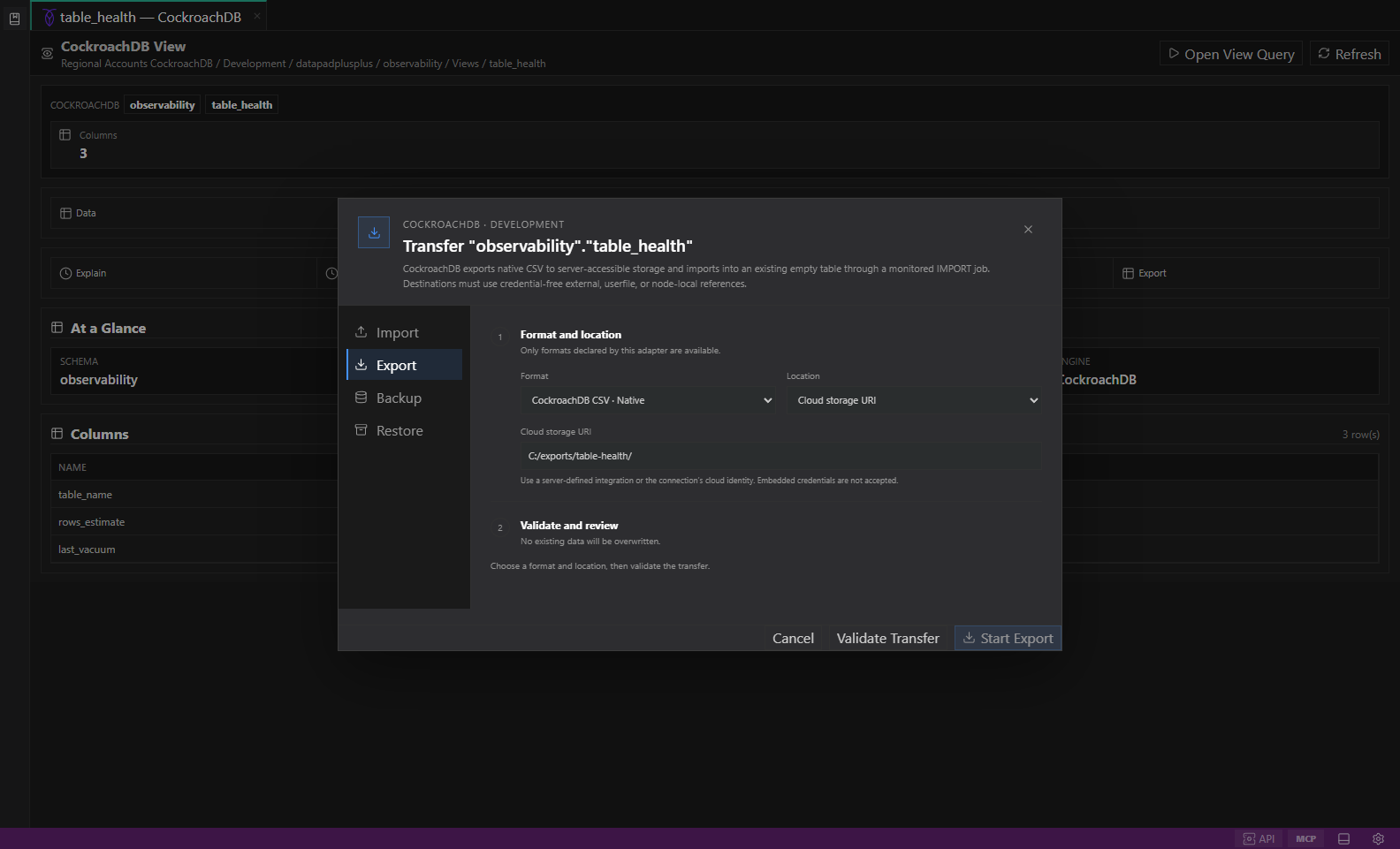
Native datastore transfer. Selected objects, native or portable formats, destination options, validation, and conflict-safe review. Open full size - 2
Review the plan
Confirm source objects, native or portable format, destination, overwrite/conflict behavior, validation, backend impact, and environment guardrails.
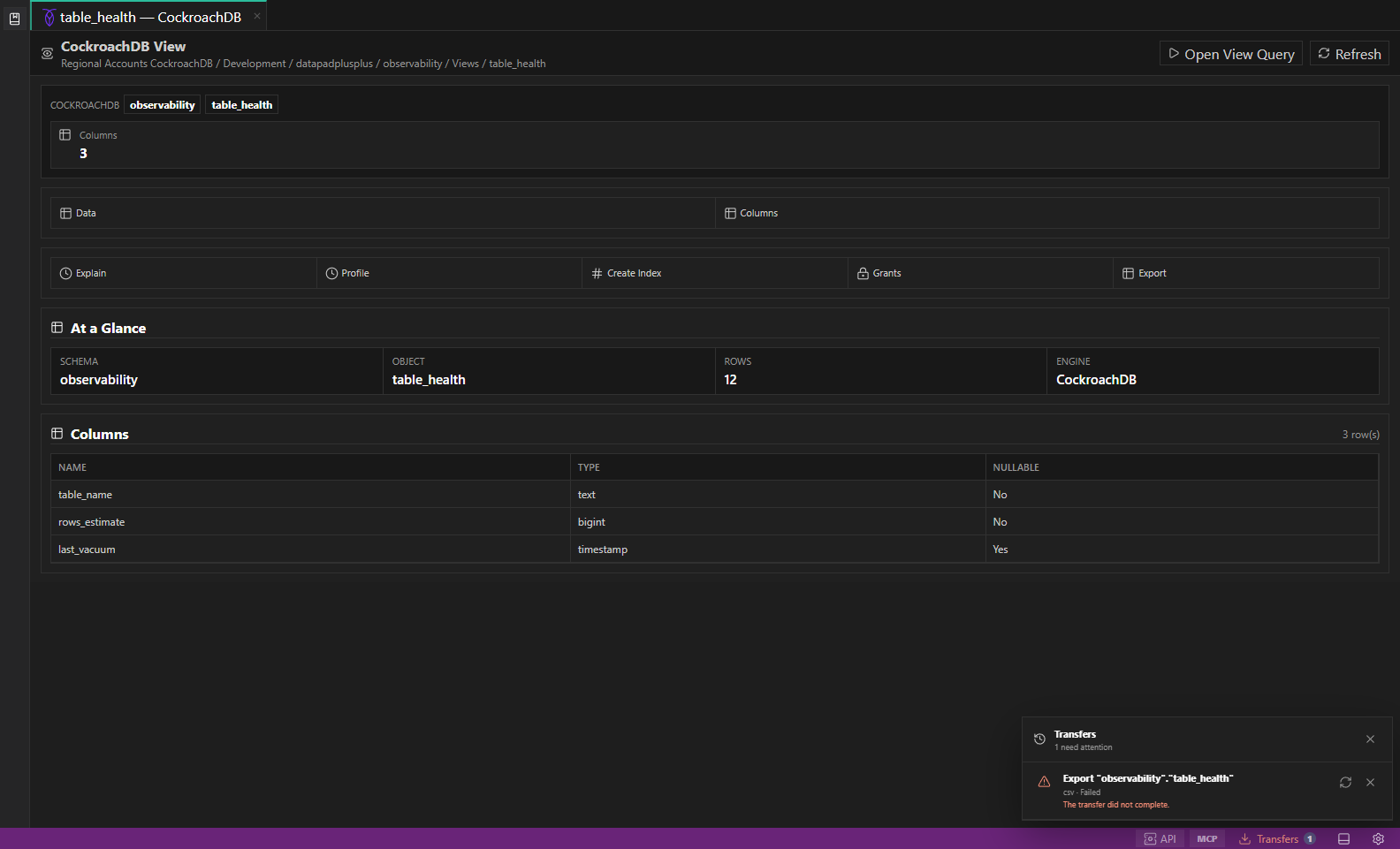
Transfers Center. Transfers Center shows a failed example transfer with its warning count, failure detail, retry control, and dismiss action. Open full size - 3
Start the job
Start only against an approved nonproduction target. A background job appears in Transfers Center and retains its native job identifier when available.
- 4
Monitor or cancel
Open Transfers from the status bar to review progress, warnings, logs, cancellation, retry state, and completed artifacts.
- 5
Validate the result
Check counts, checksums or engine-native validation, warnings, and destination scope before treating the transfer as successful.
Task and control reference
| Surface or task | How to use it |
|---|---|
| Import / export | Portable file movement where the runtime manifest marks formats as executable. |
| Backup / restore | Engine-native operations; guarded separately and never implied by portable export. |
| Cancel | Requests cancellation; an engine-native job may require time to stop. |
| Retry | Creates a reviewed retry from retained safe parameters; secrets are resolved again. |
| Completed artifact | Shows path, format, validation, warnings, and redacted job metadata. |
Common failure states
| Problem | Resolution |
|---|---|
| The expected surface is hidden | Use the activity bar, View command, status-bar entry point, or Ctrl/Cmd+J for the panel and Ctrl/Cmd+B for the sidebar. |
| The tab has stale context | Refresh the tab, reselect its connection and scope, or open a new tab from the intended Explorer object. |
| A preview cannot execute | The feature may be preview-only for that datastore. Keep the generated plan or use the documented native-tool fallback. |