
Results and safe editing
Inspect Results And Edit Safely
Read table, document, raw, and key-value results with safe editing boundaries.
Prerequisites
- Install the current DataPad++ desktop pre-release and open the workspace where you want to organize your connections and saved work.
- Have access to a datastore or database file you are authorized to inspect. Start read-only with a least-privileged account.
Quickstart
- 1
Inspect the renderer that matches the payload
Tables use sticky headers and row selection. Documents expand as trees. Redis and Valkey keys show type-aware value surfaces and metadata.
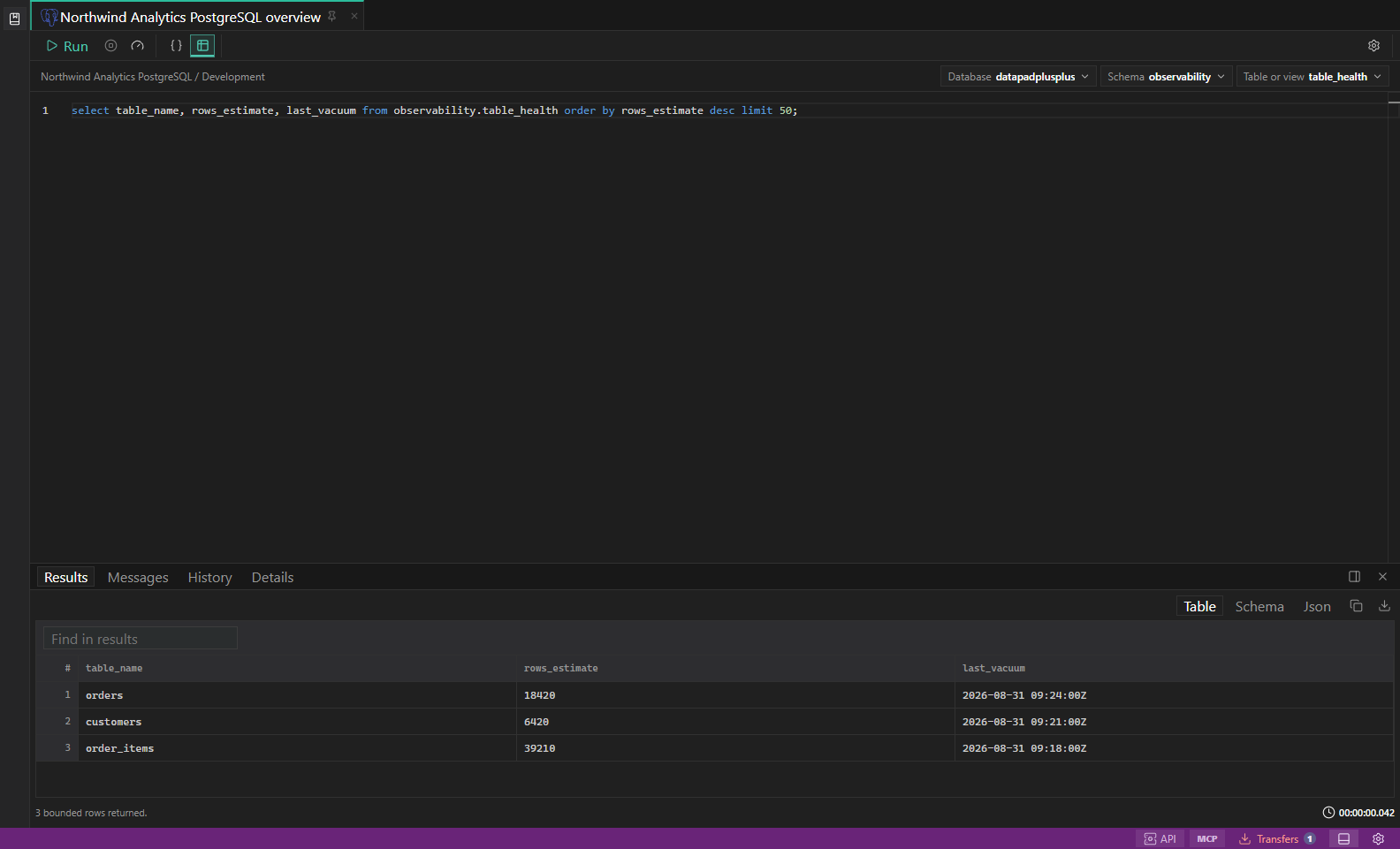
SQL query results. Editor, result grid, messages, and row selection in one workspace. Open full size - 2
Use raw views when needed
Switch to formatted raw JSON, text, details, messages, or history when the rich renderer hides information you need. Full-value actions retrieve authoritative content rather than copying a shortened preview.
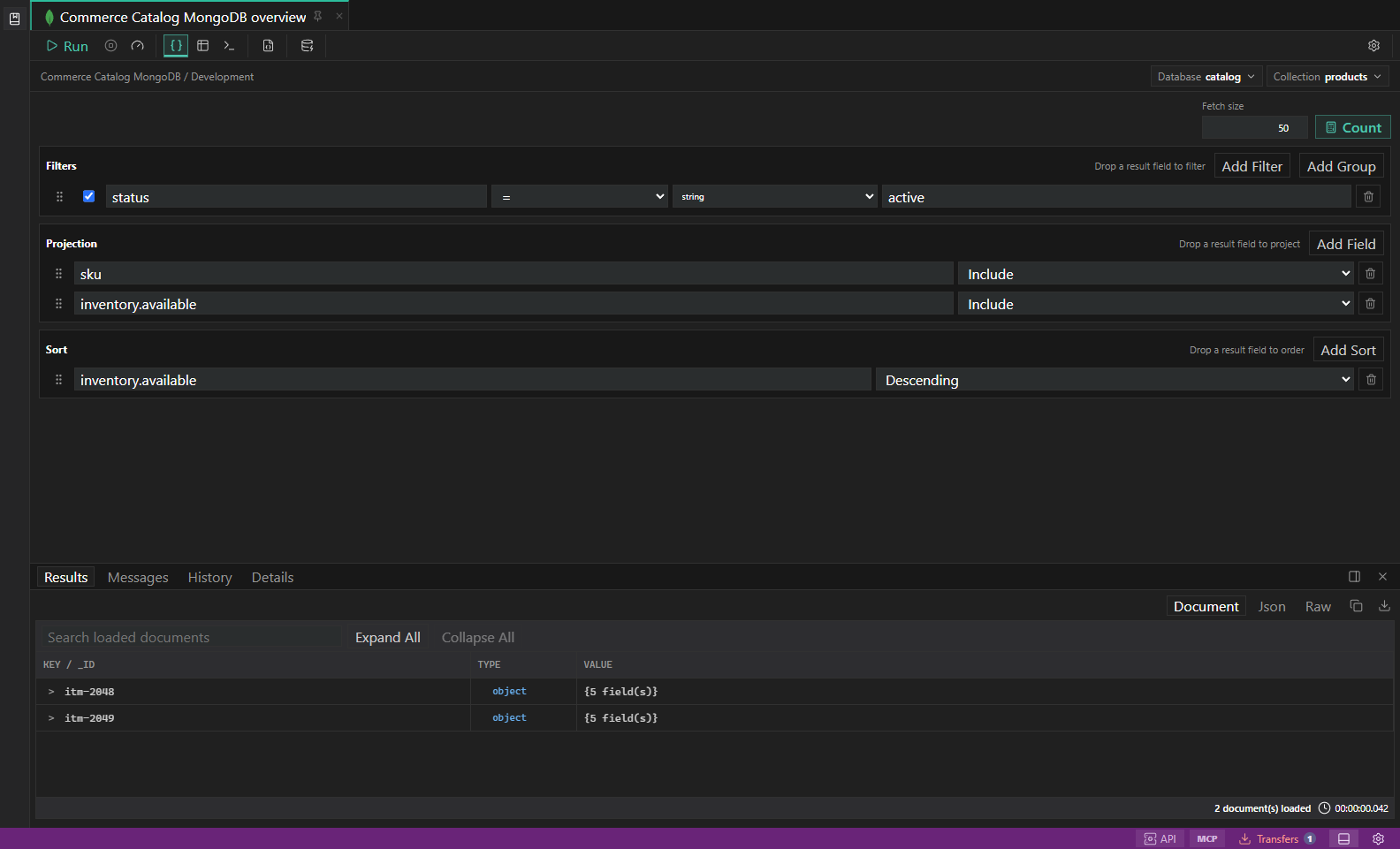
MongoDB query builder. Filters, projections, sort, explain plans, and document results. Open full size - 3
Select precisely
Use row numbers, cells, fields, or key entries to copy the exact data needed for analysis or follow-up work.
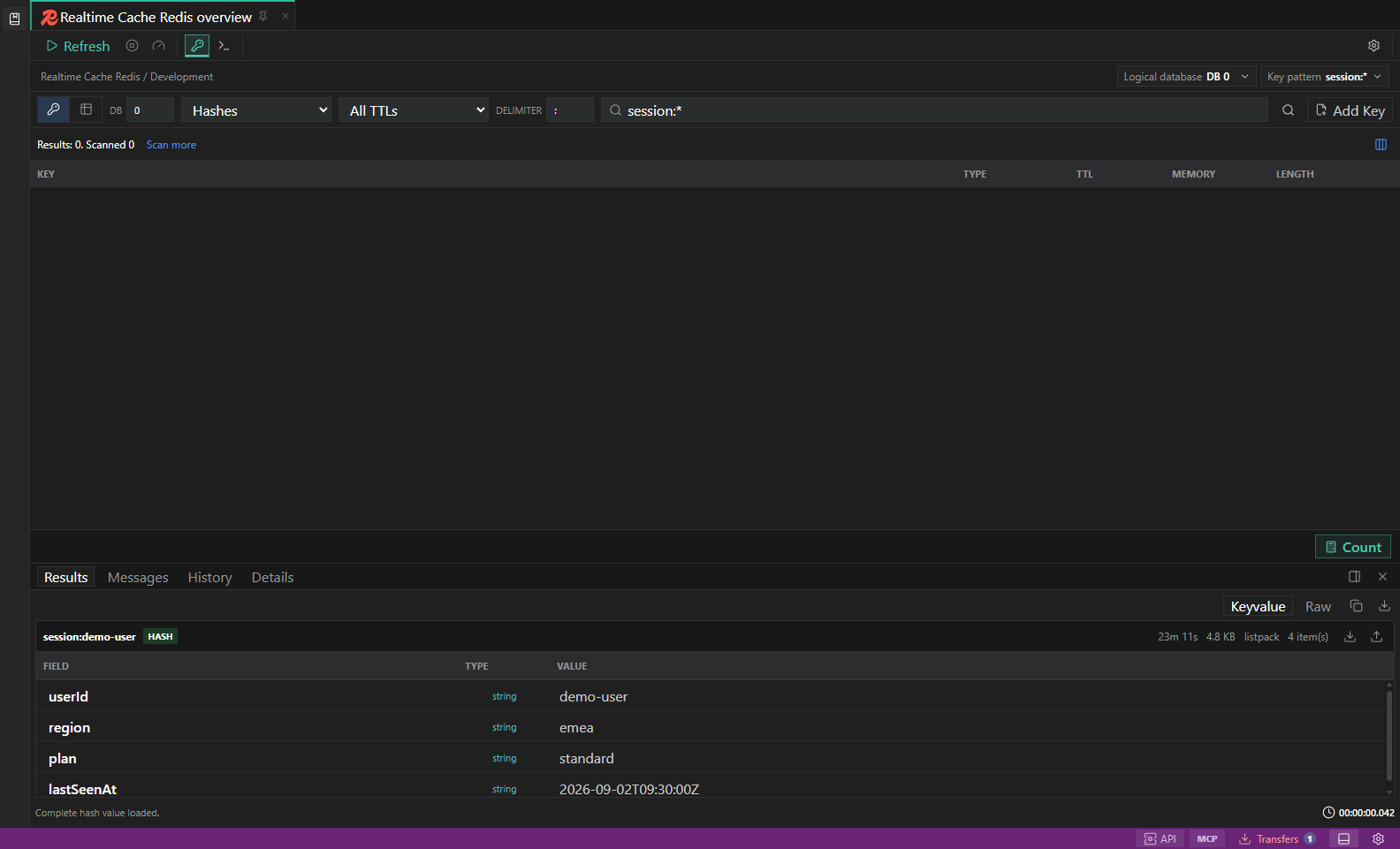
Redis key browser. Key filters, type-aware value surfaces, TTL, and guarded key actions. Open full size - 4
Edit only when identity is proven
SQL edits need table and primary-key context. MongoDB edits need collection and document identity. Redis edits need a concrete key. DynamoDB edits need complete keys and conditional guards.
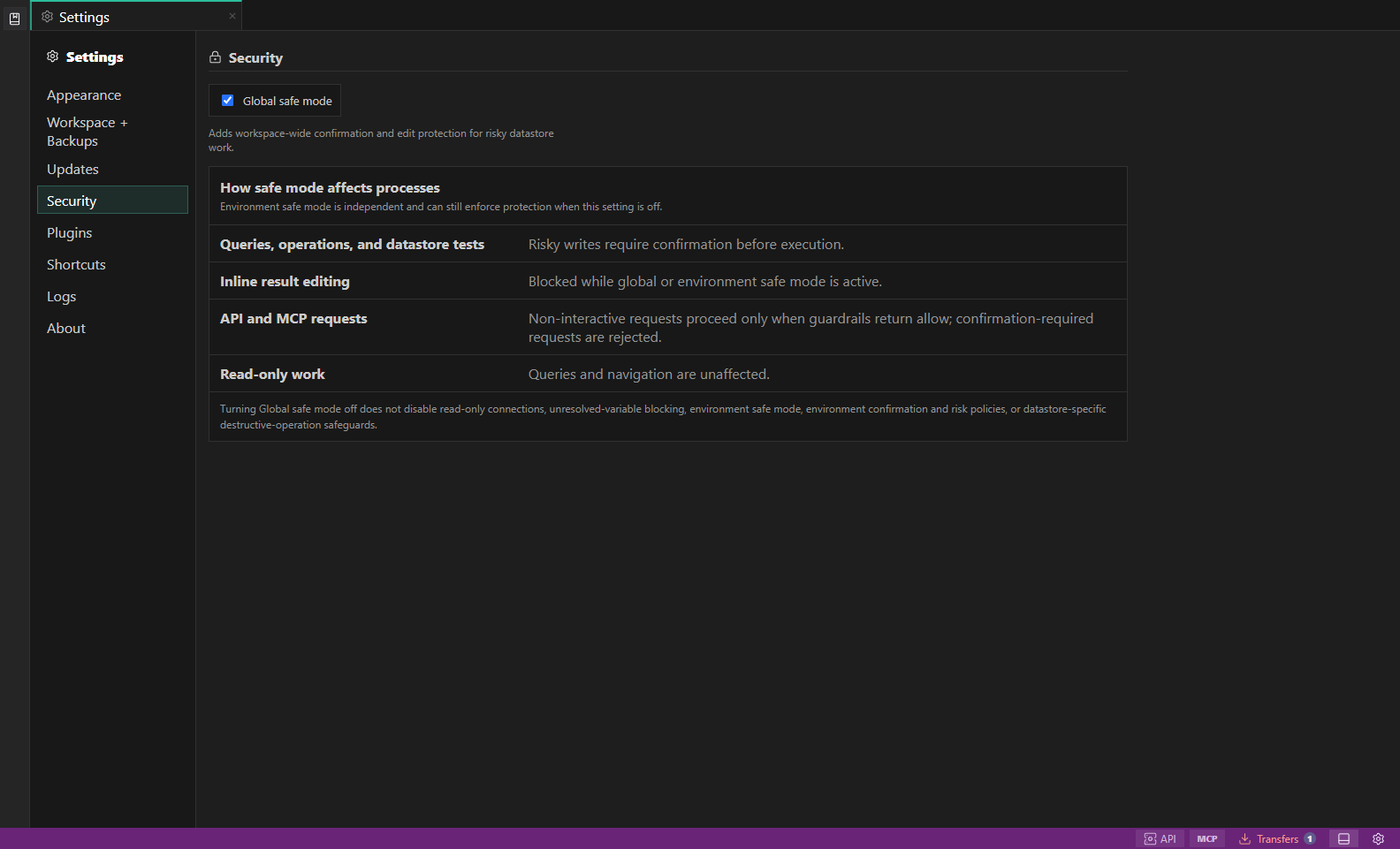
Security settings. Global safe mode explains how risky writes, inline edits, API and MCP requests, and read-only work are guarded. Open full size - 5
Read disabled reasons
When an edit or operation is disabled, the reason is part of the safety model. Fix the missing identity, permission, or environment condition before trying again.
Task and control reference
The workbench keeps the active connection, environment, target scope, query mode, and panel state visible. Review that context before you run, edit, export, or administer anything.
Safety boundaries
Troubleshooting
| Symptom | What to check |
|---|---|
| A control is disabled | Read its disabled reason, then verify target scope, connection health, read-only mode, environment policy, and feature maturity. |
| The screen does not match this guide | Confirm the app version and platform, refresh the active tab, and check whether the feature is marked Experimental, Plan only, or Unavailable. |
| The operation produces no rows | Open Messages and History, verify the selected datastore scope, replace the sample object names with names from your datastore, and retry with a bounded read. |