Pre-release desktop workbench

DataPad++

All Data. One Pad.

Replace a stack of disconnected database IDEs and shallow editor extensions with one workspace that keeps your datastore, environment, database/schema, tabs, and safety context visible.

DataPad++ desktop application showing a PostgreSQL query, Local Demo environment, result grid, connections, and status controls.
Example workspacePostgreSQL query and bounded results in the current desktop app.
Latest releaseRelease data loadingFrom GitHub Releases
Recommended for your platformAvailable artifactsSee all release downloads
Open downloads

One application, without one generic experience

Keep connections, environments, queries, results, saved work, diagnostics, and guarded operations together while each datastore retains the tools and types that make it useful.

One workbench instead of many database IDEsToo many separate tools make connections, tabs, and saved work difficult to manage.Keep connections, environments, Explorer objects, saved work, query tabs, results, and diagnostics together without flattening every datastore into the same interface.Native-feeling tools beyond basic editor extensionsA query textbox alone is not enough for discovery, diagnostics, results, and safe edits.Tables feel like tables, documents keep native types, Redis keys open in complete type-aware views, and search, graph, metrics, and analytical engines retain their own workflows.Visible target and environment contextThe most dangerous mistake is running the right query against the wrong target.Every tab carries its connection, environment, database/schema or object scope, and persistent environment color—even when it moves into an experimental detached window.Validated builders and guarded editingPermissive inputs and guessed target identity turn convenient editing into unsafe execution.Build nested typed filters, validate JSON explicitly, edit documents or rows only with stable identity, and refresh from authoritative server evidence.Native and portable data movementGeneric exports lose types, while vendor backup tools differ dramatically between engines.Choose only manifest-supported formats and destinations, validate before starting, fail imports on conflict, and follow background work in Transfers Center.Versioned, encrypted, recoverable workspacesBackups should not silently leak credentials or grow with disposable result payloads.Export compact encrypted bundles, opt into secrets explicitly, preview file-first imports, name new workspaces, recover destructive replacements, and analyze size without exposing contents.Search, test, map, and expose work deliberatelyReusable knowledge disappears when it lives only in open editors and private mental context.Use the Library, Workspace Search, relationship maps, datastore test suites, and opt-in API/MCP servers to turn explored data into intentional reusable workflows.

Step-by-step documentation

Choose a task, follow the complete workflow, then open the engine-specific page for exact capabilities and limitations.

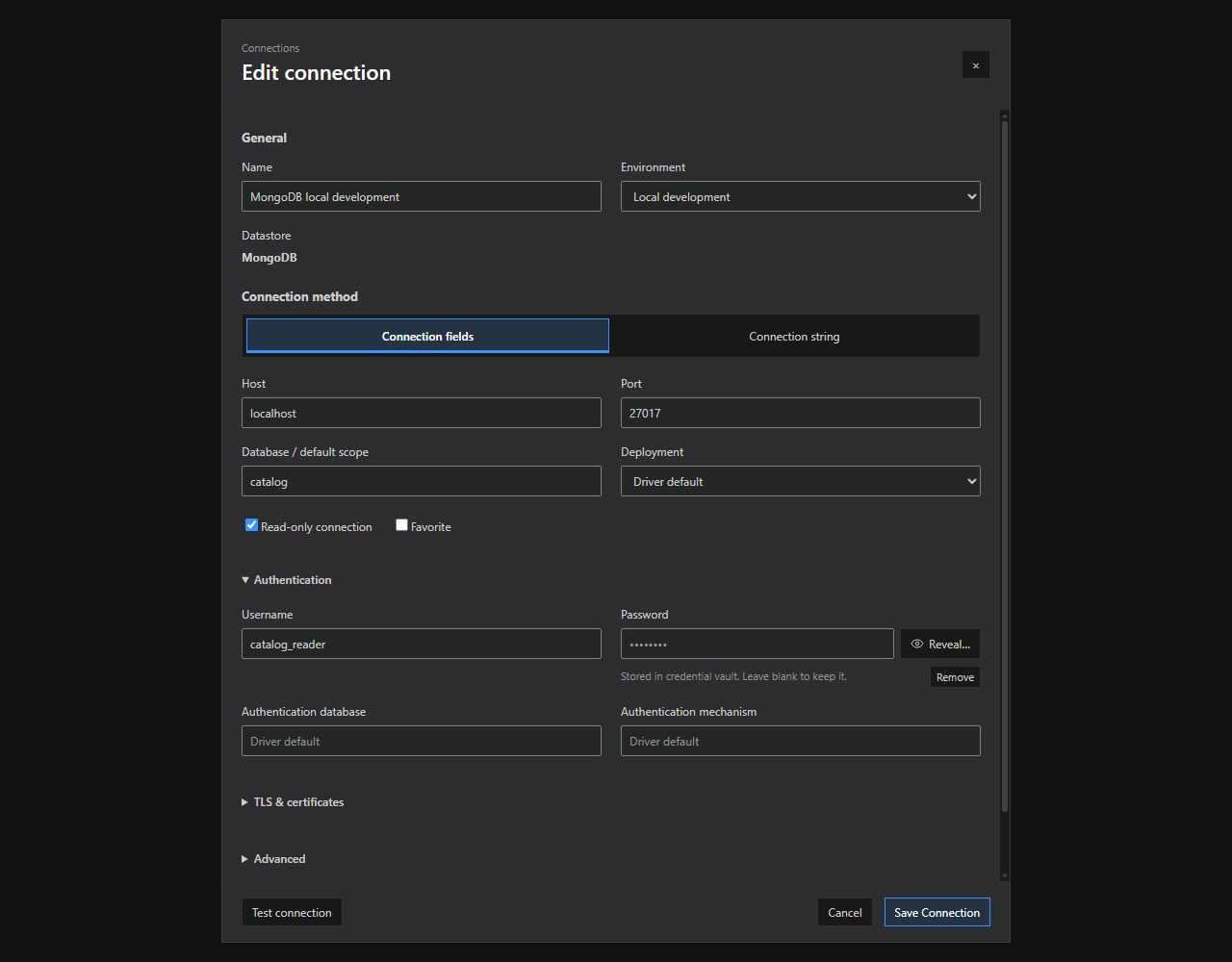
Connection editor. Connection method tabs, grouped options, and saved-credential controls in the current connection dialog.
Connection method tabs, grouped options, and saved-credential controls in the current connection dialog.
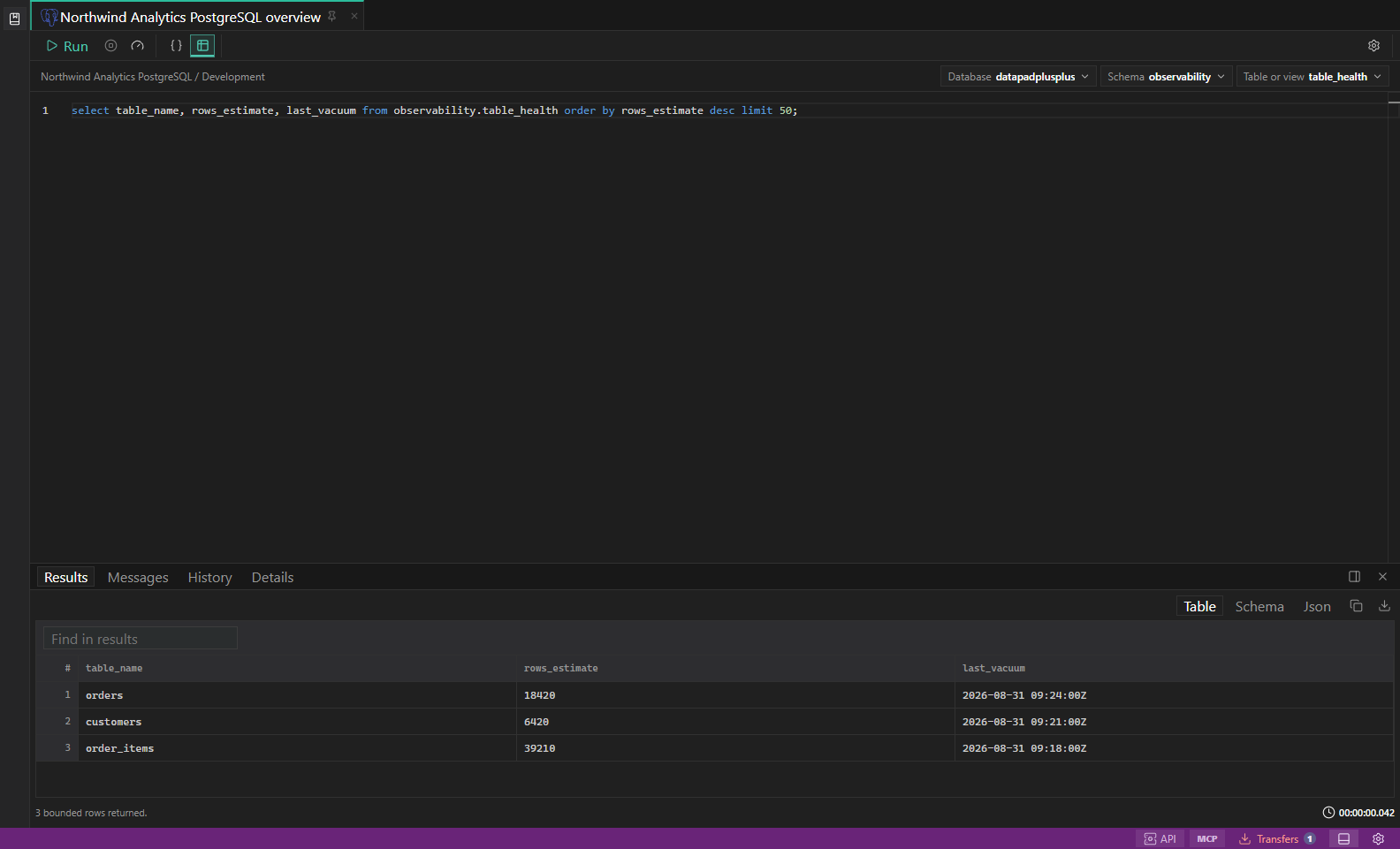
SQL query results. Editor, result grid, messages, and row selection in one workspace.
Editor, result grid, messages, and row selection in one workspace.
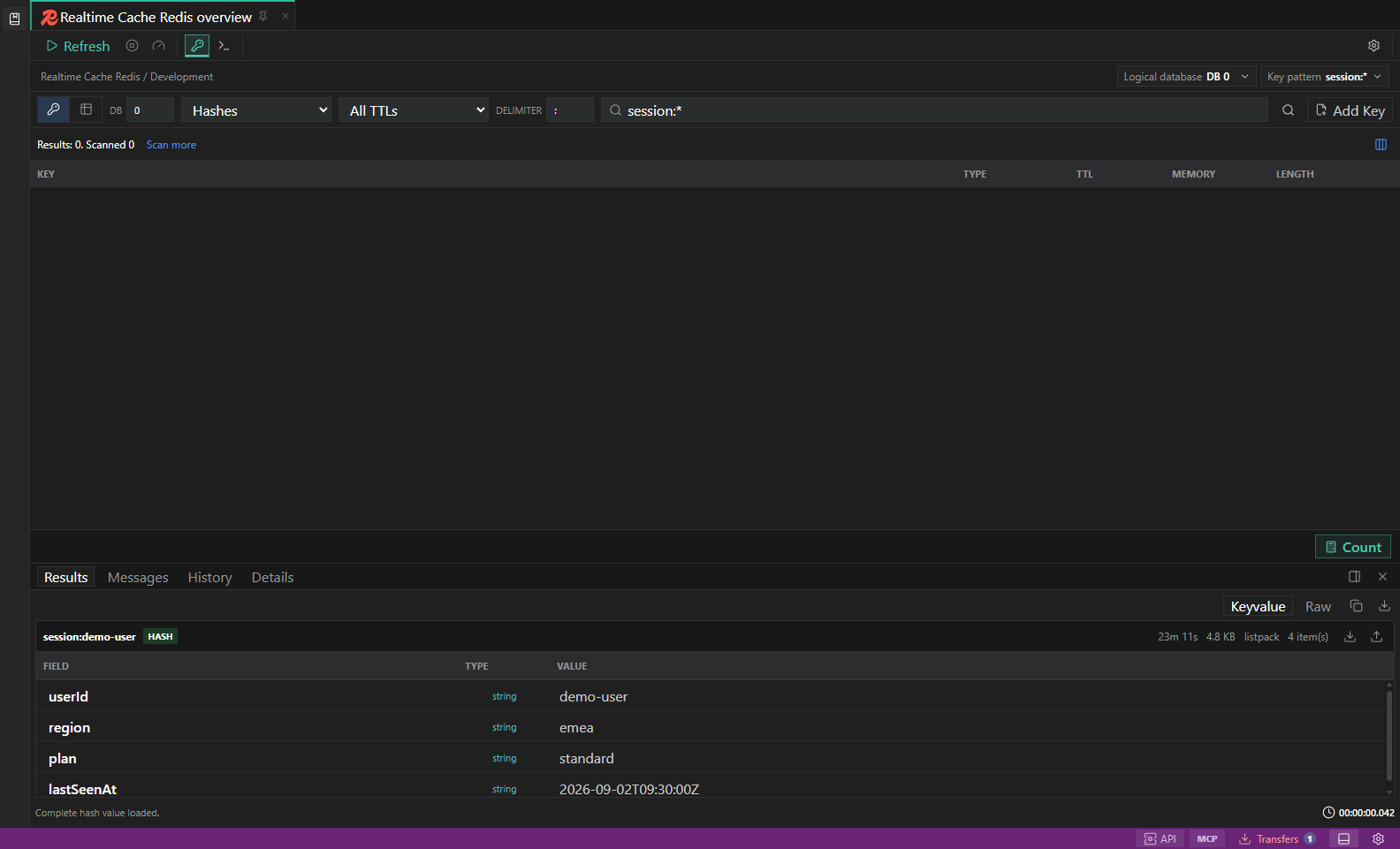
Redis key browser. Key filters, type-aware value surfaces, TTL, and guarded key actions.
Key filters, type-aware value surfaces, TTL, and guarded key actions.