
Datastore-specific guides
MongoDB Workflows
Build queries, inspect documents, review explain plans, and manage collection workflows.
Prerequisites
- Install the current DataPad++ desktop pre-release and open the workspace where you want to organize your connections and saved work.
- Have access to a datastore or database file you are authorized to inspect. Start read-only with a least-privileged account.
Quickstart
- 1
Open a collection
Use the MongoDB tree to open a database or collection directly into a collection-focused query workspace.
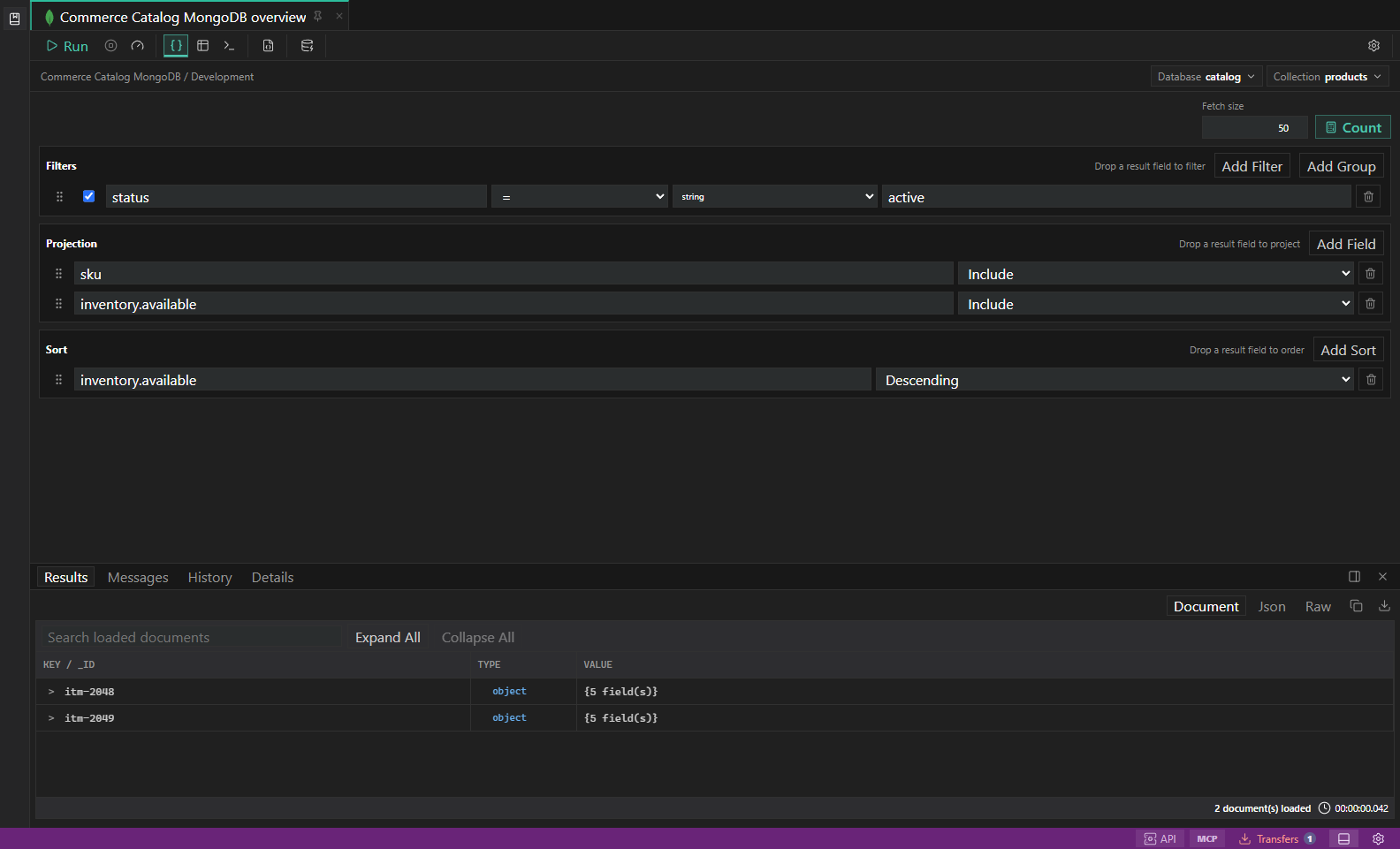
MongoDB query builder. Filters, projections, sort, explain plans, and document results. Open full size - 2
Build a query visually
Add filters with grouping, projections, sort fields, and result limits. Drag fields from documents back into query builder sections when useful.
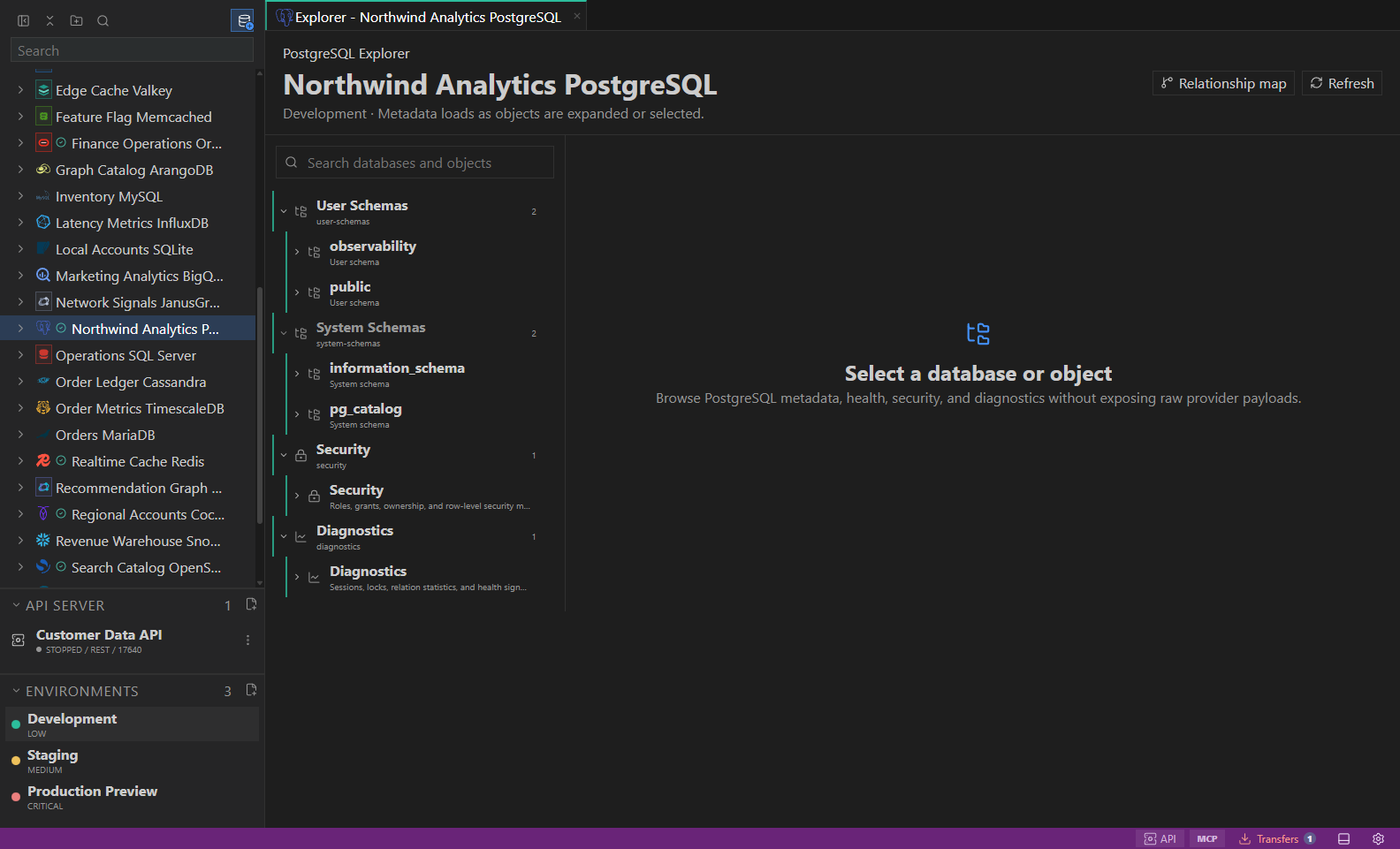
Object explorer. Datastore-owned tree with native objects and context actions. Open full size - 3
Switch modes deliberately
Move between Query Builder, raw JSON command, aggregation, and sandboxed mongosh-style JavaScript. Script mode supports guarded CRUD, bulk operations, transactions, indexes, collection management, BSON values, and permission-authorized commands.
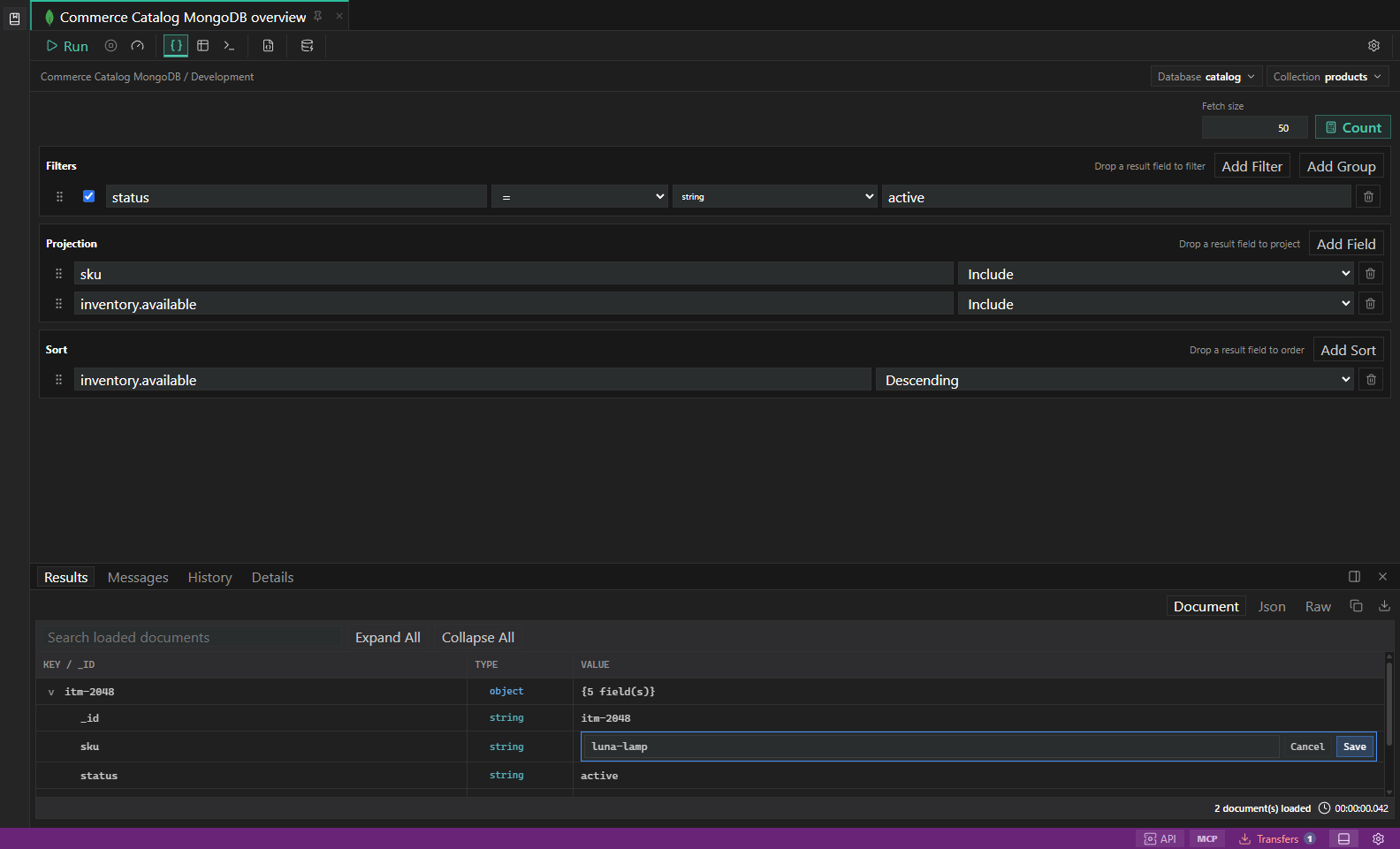
Guarded document field editing. A field-level document change paused for target and environment review before execution. Open full size - 4
Use the scripting guide
Search the resizable guide for query, CRUD, aggregation, bulk, transaction, index, administration, BSON, output, and safety examples. IntelliSense checks syntax, undefined functions, and supported helper methods, alongside live collection suggestions. This is a sandboxed API, not the full mongosh shell; server-command availability and permissions are checked by MongoDB.
- 5
Keep script expressions and environment values distinct
JavaScript ${expression} template literals remain JavaScript. Use explicit {{UPPER_CASE_NAME}} placeholders inside quoted strings for environment values, for example db.getSiblingDB('{{DATABASE_NAME}}'). Values are escaped as data; comments are not interpolated. Missing values identify the variable and script line without displaying secret contents.
- 6
Configure long-running scripts
Settings → Queries & Results → Scripts offers Connection default, Custom duration in minutes, and No timeout. Use 360 minutes for six hours. The custom deadline covers the whole script, including database waiting; changes affect future runs. Operation progress appears beside Run/Cancel and bounded console output appears in Messages. Server limits, bounded operations/results, memory safeguards, and the ten-second continuous JavaScript processing limit remain active; database waiting is excluded from that processing limit.
- 7
Inspect documents efficiently
Use expandable document rows, field search, raw inspection, and efficiency mode for large nested documents.
- 8
Review explain and diagnostics
Open explain, profiler, current operation, replica, shard, and index-usage surfaces when diagnosing performance.
- 9
Use guarded document edits
Document edits and script mutations share read-only checks and environment confirmations. A script run has one approval dialog bound to its exact request and target; displaying results does not request approval or execute again. The sandbox cannot access files, processes, packages, or arbitrary networks. Cancellation attempts transaction cleanup and reports uncertain outcomes: earlier writes may have completed and an in-flight command may still be running. Check the database before retrying.
- 10
Manage database users and roles
Expand the owning database, including System Databases → admin, then open Manage Users or Manage Roles. Use New user/New role, the edit pencil or delete action. Assign multiple roles with their database, and edit native privilege JSON for custom roles. Review and confirm changes; complete role and privilege arrays replace their previous lists. Built-in roles stay read-only.
- 11
Keep administration credentials and targets safe
Use an environment secret variable such as {{MONGO_USER_PASSWORD}} for a new or replacement password. Leave it blank on edits to preserve the existing password. Advanced options are optional and blank fields stay unchanged. The owning database is explicit, failed or canceled reviews retain the draft, and switching tabs cannot transfer it to a different target. Desktop server privileges are required; browser preview is plan-only and Atlas user/role administration uses its control plane.
Task and control reference
The workbench keeps the active connection, environment, target scope, query mode, and panel state visible. Review that context before you run, edit, export, or administer anything.
Safety boundaries
Troubleshooting
| Symptom | What to check |
|---|---|
| A control is disabled | Read its disabled reason, then verify target scope, connection health, read-only mode, environment policy, and feature maturity. |
| The screen does not match this guide | Confirm the app version and platform, refresh the active tab, and check whether the feature is marked Experimental, Plan only, or Unavailable. |
| The operation produces no rows | Open Messages and History, verify the selected datastore scope, replace the sample object names with names from your datastore, and retry with a bounded read. |