
Plugins
Review Datastore Security Checks
Scan datastore versions for vulnerabilities and review local/read-only posture checks.
Prerequisites
- Open the workspace where you want this plugin to be available and review its current maturity in Settings → Plugins.
- Confirm the platform boundary: Desktop app for network-backed refreshes; results are advisory.
- Use only connections, environments, resources, and credentials you are authorized to access.
Quickstart
- 1
Enable Security Checks
Open Settings, choose Plugins, enable Datastore Security Checks, then open the Security Checks workspace from the workbench.
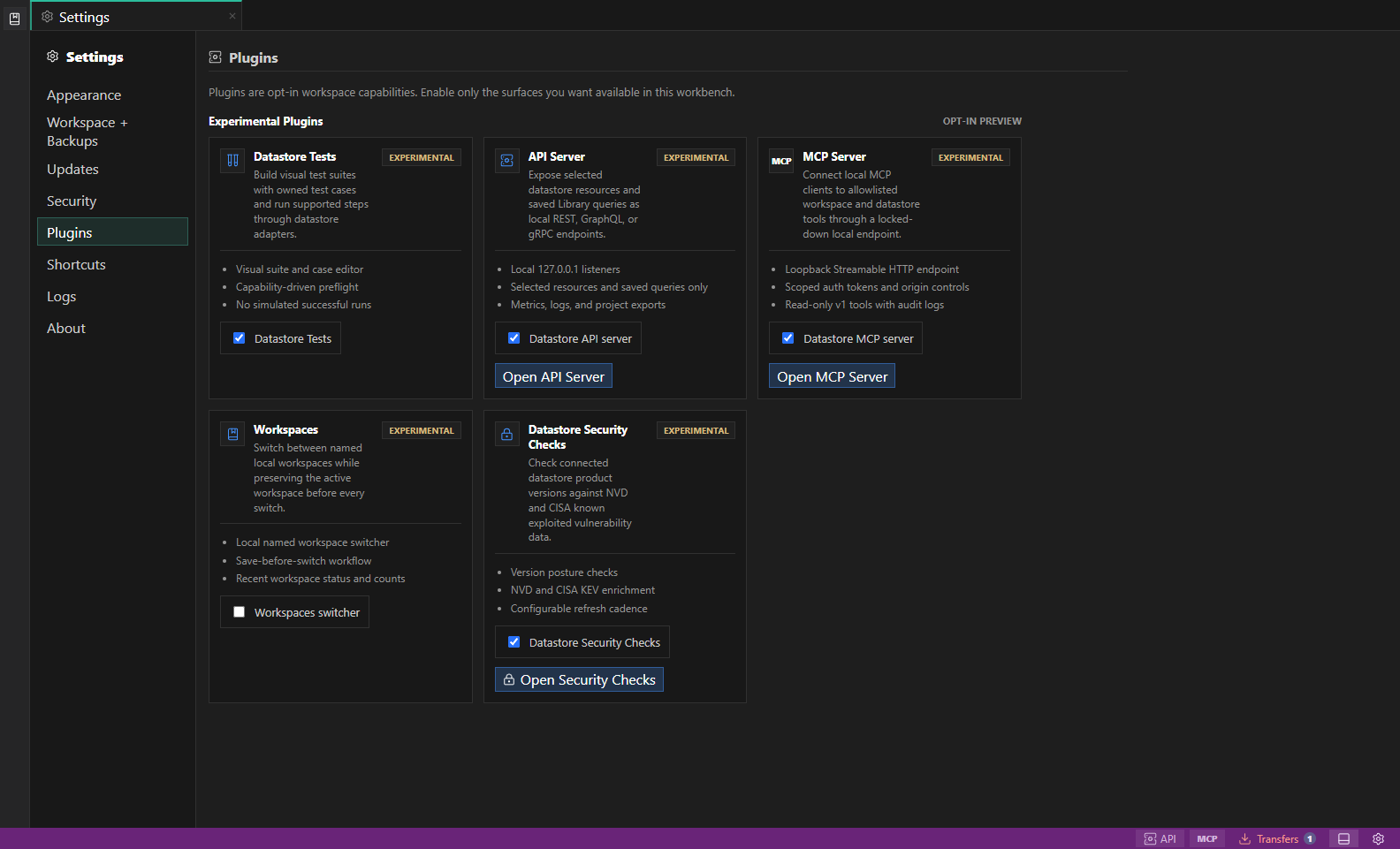
Experimental plugin settings. Experimental plugins identify their current feature boundary before you enable them for the workspace. Open full size - 2
Refresh saved connections
The desktop app resolves connection profiles, detects product versions with read-only probes where possible, checks mapped CPE candidates against NVD and CISA KEV, and runs local posture checks.
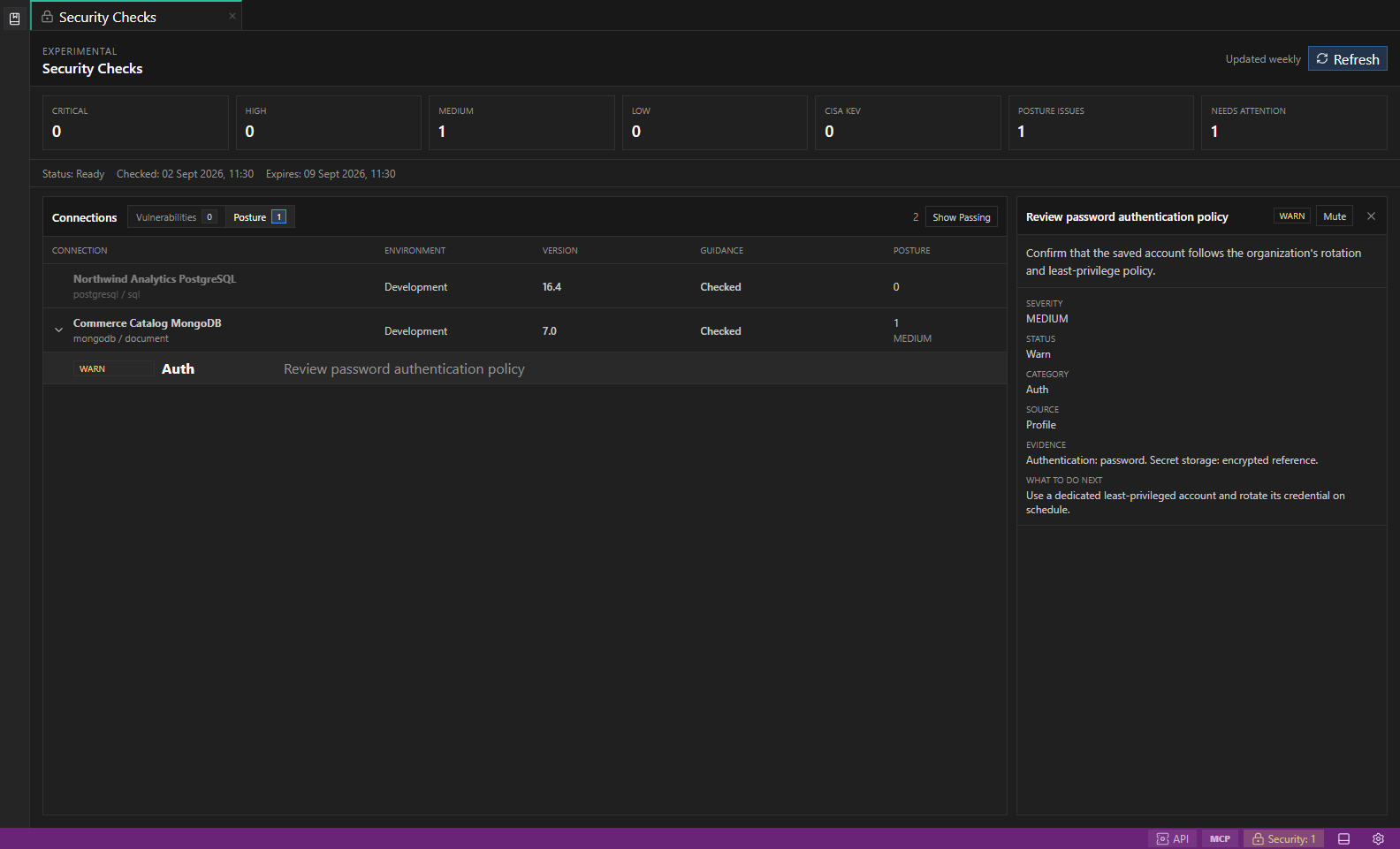
Datastore Security Checks. An illustrative Posture view groups advisory checks by connection and environment with severity, evidence, and remediation details. Open full size - 3
Switch between lanes
Use Vulnerabilities for CVE and KEV findings. Use Posture for advisory checks covering TLS, auth mode, read-only/environment guardrails, secret storage, privilege breadth, durability, and risky settings.
- 4
Inspect CVE details
Finding details include severity, CVSS, references, KEV action data when available, and NVD affected-version or fixed-version hints when the response provides version bounds.
- 5
Inspect posture details
Posture details show pass, warn, fail, unknown, or not-applicable status, sanitized evidence, source type, remediation, and official references without storing raw secret-bearing payloads.
- 6
Read the coverage boundary
Deep posture checks target PostgreSQL, CockroachDB, TimescaleDB, MySQL, MariaDB, SQL Server, Azure SQL, MongoDB, Redis, Valkey, Elasticsearch, OpenSearch, SQLite, and DuckDB. Other declared datastores receive profile-only checks.
- 7
Treat guidance as advisory
The bundled catalog is updated with app releases and avoids extra release-feed calls during a scan. Posture checks do not call cloud-provider APIs and are not compliance certification.
Features
| Feature | How to use it |
|---|---|
| Version checks | Detect supported product versions and map them to candidate vulnerability identifiers. |
| NVD and CISA KEV enrichment | Review severity, references, known-exploited status, and available remediation hints. |
| Posture checks | Inspect TLS, authentication, read-only, environment, secret-storage, privilege, durability, and risky-setting guidance. |
| Coverage-aware results | Distinguish deep adapter checks from profile-only checks and unknown results. |
| Finding controls | Switch between Vulnerabilities and Posture, show passing checks, and mute a reviewed item. |
| Refresh controls | Run a manual refresh when allowed and see checked and expiry timestamps. |
Availability and data boundary
| Area | Behavior |
|---|---|
| Maturity | Experimental |
| Availability | Desktop app for network-backed refreshes; results are advisory. |
| Enablement | Current workspace preference with a configurable refresh interval. |
| Data boundary | Uses profile metadata and bounded read-only version or posture probes. Evidence is sanitized and cloud-provider administration APIs are not called. |
| When disabled | Refresh and workspace entry points are unavailable. Treat any previously viewed result as stale until the next successful refresh. |
Task and control reference
- Browser preview cannot run network-backed security scans; use the desktop app.
- Catalog guidance is intentionally labeled as known newer or recommended, not as a guaranteed live latest version.
- Unknown posture results usually mean the current account lacks metadata visibility or the engine/runtime cannot expose that signal safely.
Safety boundaries
Troubleshooting
| Symptom | What to check |
|---|---|
| A control is disabled | Read its disabled reason, then verify target scope, connection health, read-only mode, environment policy, and feature maturity. |
| The screen does not match this guide | Confirm the app version and platform, refresh the active tab, and check whether the feature is marked Experimental, Plan only, or Unavailable. |
| The operation produces no rows | Open Messages and History, verify the selected datastore scope, replace the sample object names with names from your datastore, and retry with a bounded read. |