
Connections, environments, and secrets
Safety Model
Learn why DataPad++ disables, previews, or confirms risky actions.
Prerequisites
- Install the current DataPad++ desktop pre-release and open the workspace where you want to organize your connections and saved work.
- Have access to a datastore or database file you are authorized to inspect. Start read-only with a least-privileged account.
Quickstart
- 1
Identify the target
Before live changes, DataPad++ needs concrete object identity such as a table primary key, document id, Redis key, DynamoDB key, or search document id.
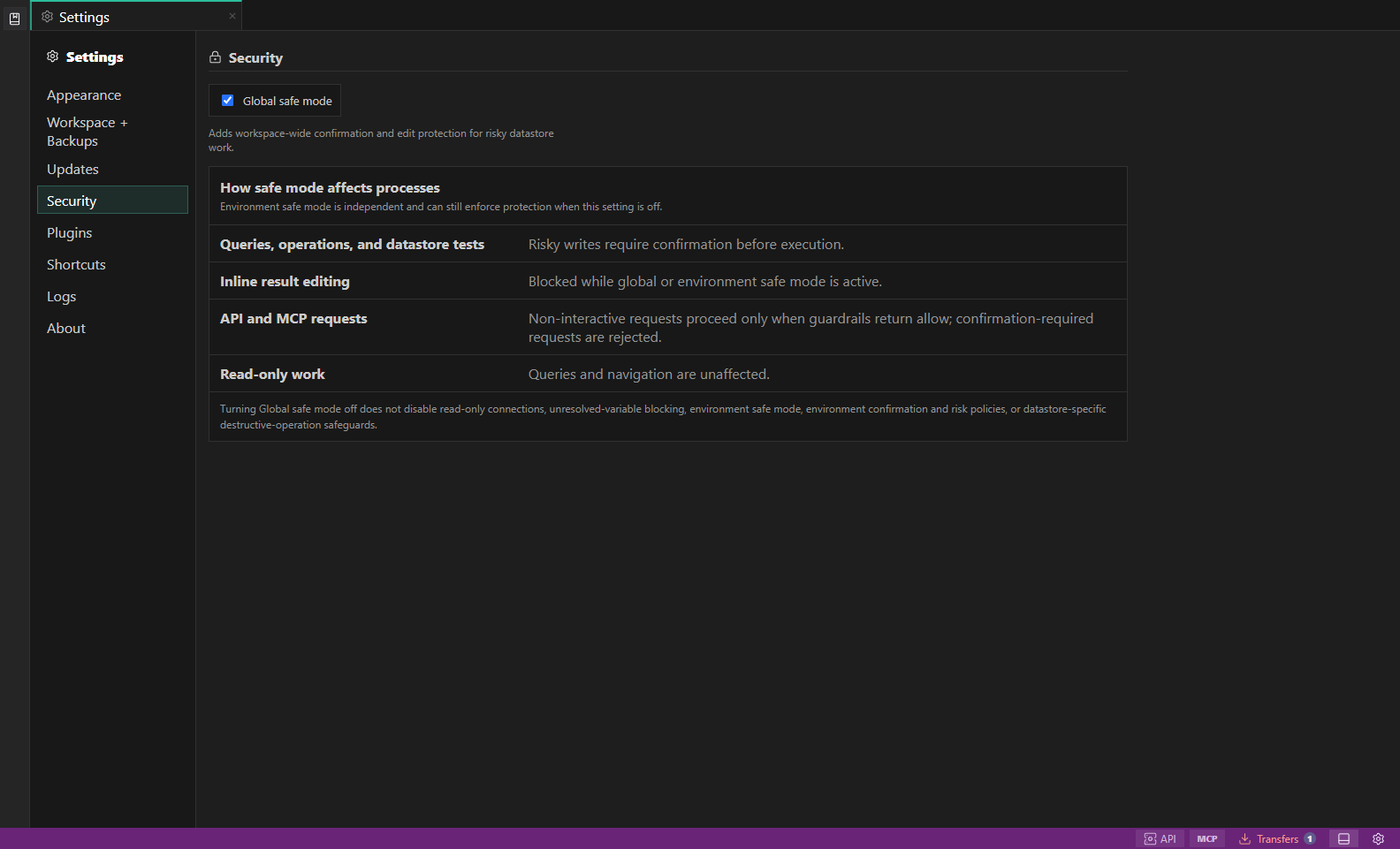
Security settings. Global safe mode explains how risky writes, inline edits, API and MCP requests, and read-only work are guarded. Open full size - 2
Respect read-only connections
Read-only profiles should block writes and destructive actions even if the database account itself has permission.
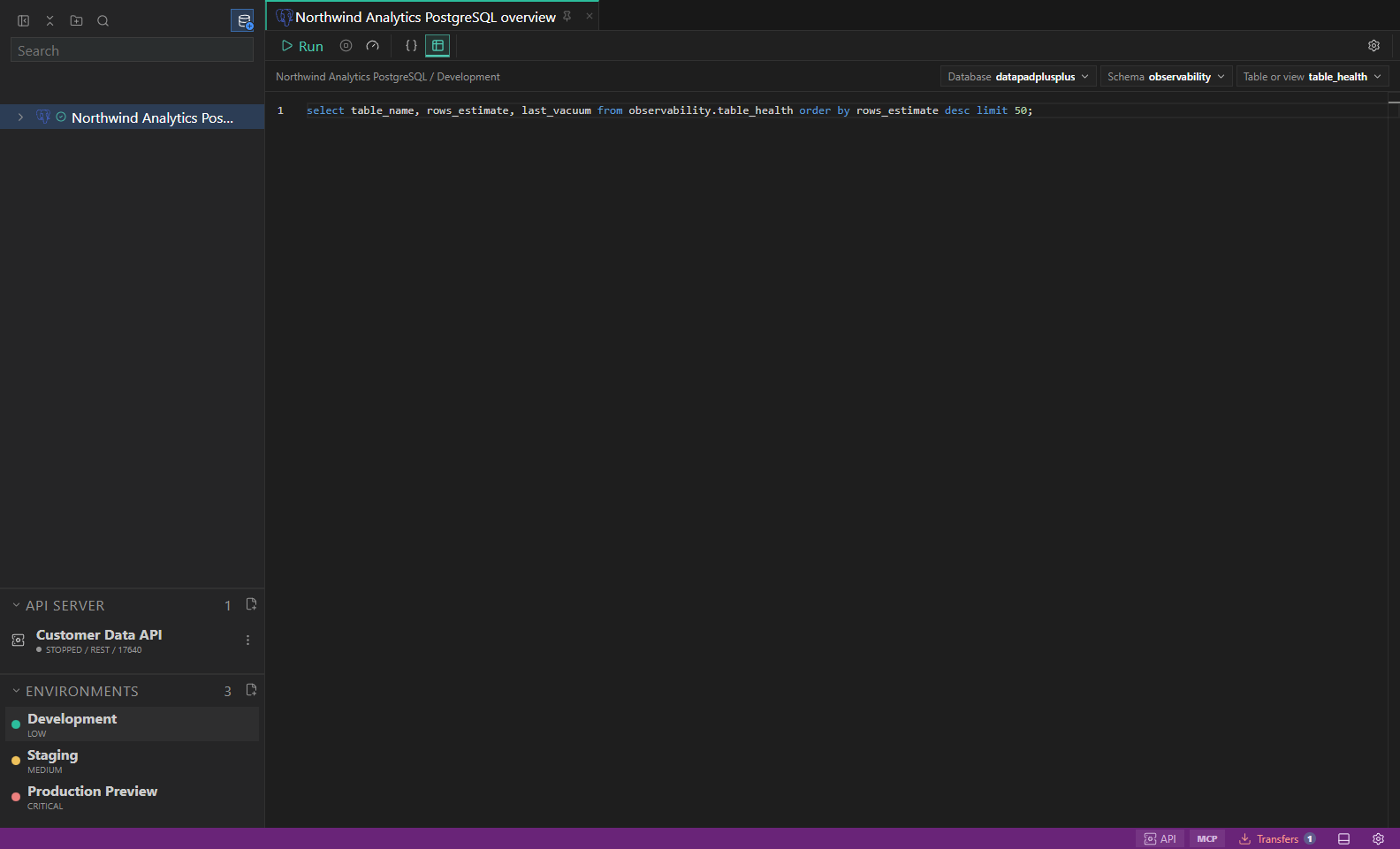
Library and environments. Saved connections, folders, scripts, and inherited environment labels. Open full size - 3
Use environments as guardrails
Production and high-risk environments can require confirmation, keep actions preview-only, or make danger visible before execution.
- 4
Review plans before execution
Guarded previews should show generated SQL, command, API request, file path, overwrite mode, scan risk, permission requirement, or restore target before any live operation.
- 5
Treat disabled reasons as instructions
If an action is unavailable, read the disabled reason and fix the missing context instead of forcing an unsafe path.
Task and control reference
The workbench keeps the active connection, environment, target scope, query mode, and panel state visible. Review that context before you run, edit, export, or administer anything.
Safety boundaries
Troubleshooting
| Symptom | What to check |
|---|---|
| A control is disabled | Read its disabled reason, then verify target scope, connection health, read-only mode, environment policy, and feature maturity. |
| The screen does not match this guide | Confirm the app version and platform, refresh the active tab, and check whether the feature is marked Experimental, Plan only, or Unavailable. |
| The operation produces no rows | Open Messages and History, verify the selected datastore scope, replace the sample object names with names from your datastore, and retry with a bounded read. |