
Plugins
Run A Local API Server
Expose selected datastore resources and saved queries as local REST, GraphQL, or gRPC endpoints.
Prerequisites
- Open the workspace where you want this plugin to be available and review its current maturity in Settings → Plugins.
- Confirm the platform boundary: Desktop app; local loopback listeners only.
- Use only connections, environments, resources, and credentials you are authorized to access.
Quickstart
- 1
Enable API Server in Plugins settings
The API Server is a desktop-only experimental plugin. Open Settings, choose Plugins, enable API Server, then open the API Server workspace.
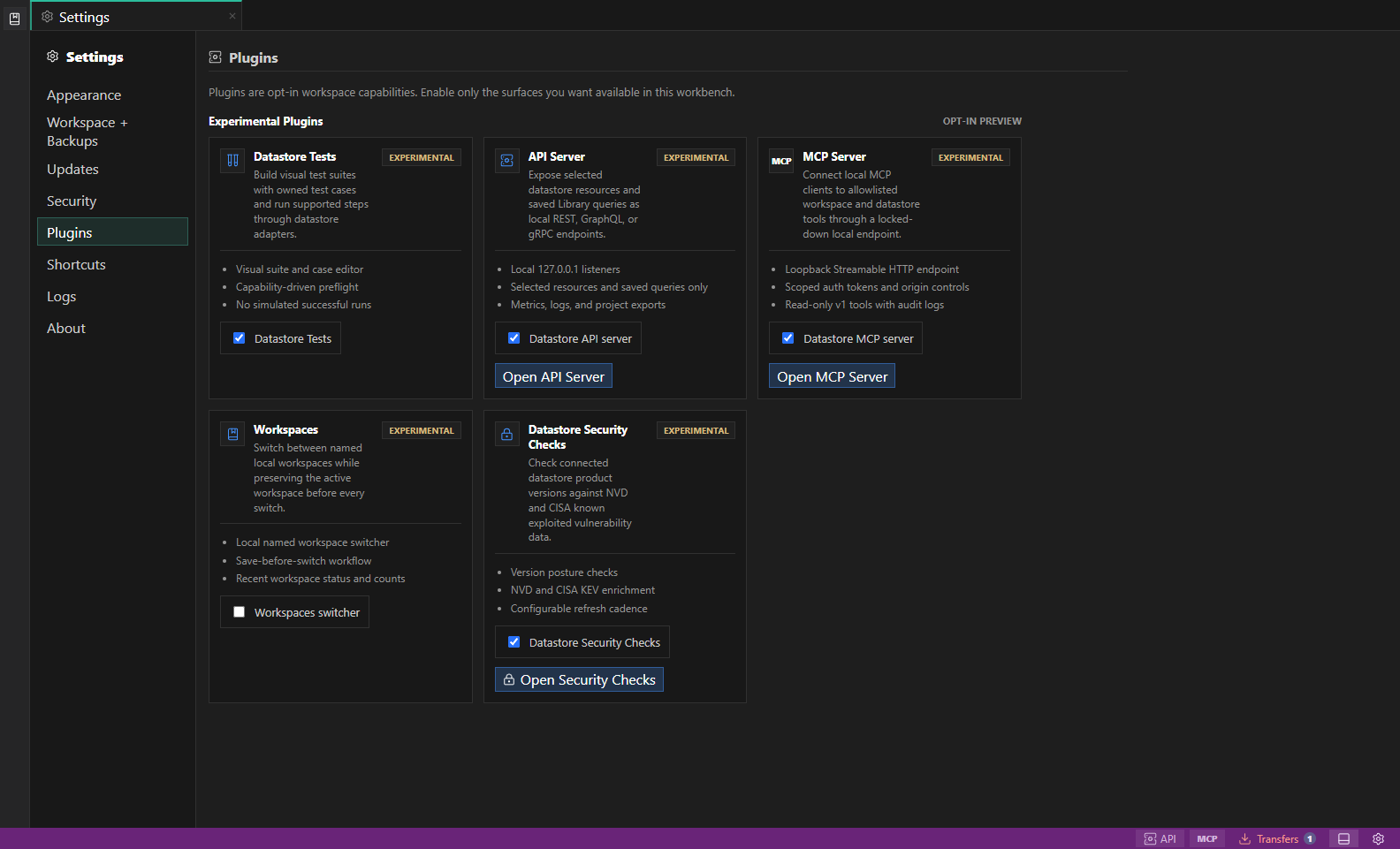
Experimental plugin settings. Experimental plugins identify their current feature boundary before you enable them for the workspace. Open full size - 2
Choose a datastore and environment
Each server needs a connection and environment so DataPad++ can keep target identity, read-only posture, variables, and risk context visible.
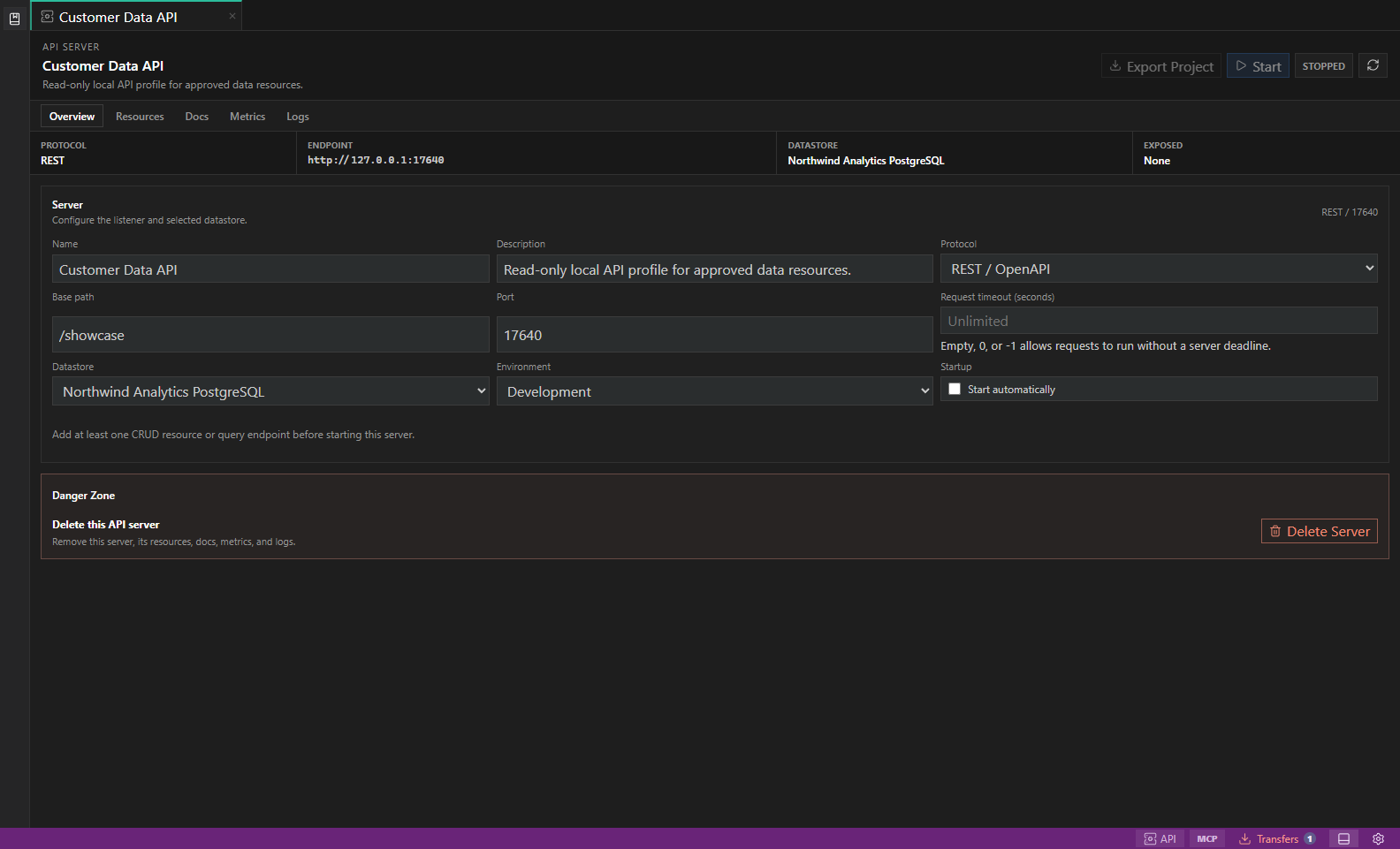
API Server workspace. Local REST, GraphQL, or gRPC servers exposing selected datastore resources and saved queries. Open full size - 3
Discover and select resources
Use resource discovery to add tables, collections, indexes, items, or keys deliberately. Disabled resources stay configured but are not exposed.
- 4
Add saved-query endpoints when useful
Custom endpoints come from saved Library queries. Tokens like {{api.email}} become typed endpoint parameters with required flags and serialization rules.
- 5
Start locally and inspect docs
Started servers bind to 127.0.0.1. REST servers expose OpenAPI docs, GraphQL servers expose GraphQL endpoints, and gRPC servers expose proto-oriented entry points.
- 6
Watch metrics, logs, and exports
Use the Metrics and Logs tabs to review local traffic. For PostgreSQL, SQLite, MongoDB, or DynamoDB, export a working Rust or .NET project backed by a real datastore client when you want code outside the desktop app.
- 7
Review export capabilities
The export dialog shows whether the framework and datastore pair is supported, labels resources as CRUD or read-only, and explains blocked custom endpoints. REST/OpenAPI, GraphQL, and gRPC are supported for every enabled pair.
- 8
Configure the generated service
Use DATABASE_URL or ConnectionStrings__Datastore for relational exports, MONGODB_URI for MongoDB, and the standard AWS region and credential chain with optional DYNAMODB_ENDPOINT_URL for DynamoDB. The archive contains examples, never resolved DataPad++ secrets.
Features
| Feature | How to use it |
|---|---|
| Server profiles | Choose the connection, environment, protocol, port, and explicitly exposed resources. |
| REST, GraphQL, and gRPC | Use the protocol that matches the local integration and inspect its generated contract. |
| Resource discovery | Add supported tables, collections, indexes, items, or keys individually. |
| Saved-query endpoints | Turn supported saved read queries and their typed parameters into custom endpoints. |
| Metrics and logs | Review local requests, failures, latency, and redacted diagnostic events. |
| Project export | Generate supported Rust or .NET service projects that use normal environment-based configuration. |
Availability and data boundary
| Area | Behavior |
|---|---|
| Maturity | Experimental |
| Availability | Desktop app; local loopback listeners only. |
| Enablement | Current workspace preference. |
| Data boundary | Only resources and saved queries added to a server profile are exposed. Generated projects contain configuration examples, not resolved secrets. |
| When disabled | Server entry points become unavailable while saved profiles remain in the workspace. Stop running profiles before disabling. |
Task and control reference
- API Server is designed for local development and integration experiments, not public hosting.
- Secrets are referenced through environment variables; exported projects do not include DataPad++ secret values.
- Custom query endpoints are currently exportable only for safe, read-only PostgreSQL and SQLite REST endpoints.
Safety boundaries
Troubleshooting
| Symptom | What to check |
|---|---|
| A control is disabled | Read its disabled reason, then verify target scope, connection health, read-only mode, environment policy, and feature maturity. |
| The screen does not match this guide | Confirm the app version and platform, refresh the active tab, and check whether the feature is marked Experimental, Plan only, or Unavailable. |
| The operation produces no rows | Open Messages and History, verify the selected datastore scope, replace the sample object names with names from your datastore, and retry with a bounded read. |