
Import, export, and native backup
Import, Export, Backup, And Restore Datastore Data
Use native and portable formats through a staged, conflict-safe transfer workflow.
Prerequisites
- Install the current DataPad++ desktop pre-release and open the workspace where you want to organize your connections and saved work.
- Have access to a datastore or database file you are authorized to inspect. Start read-only with a least-privileged account.
Quickstart
- 1
Choose the operation
Select Import, Export, Backup, or Restore. Result export and workspace backup are separate workflows with different scope and artifacts.
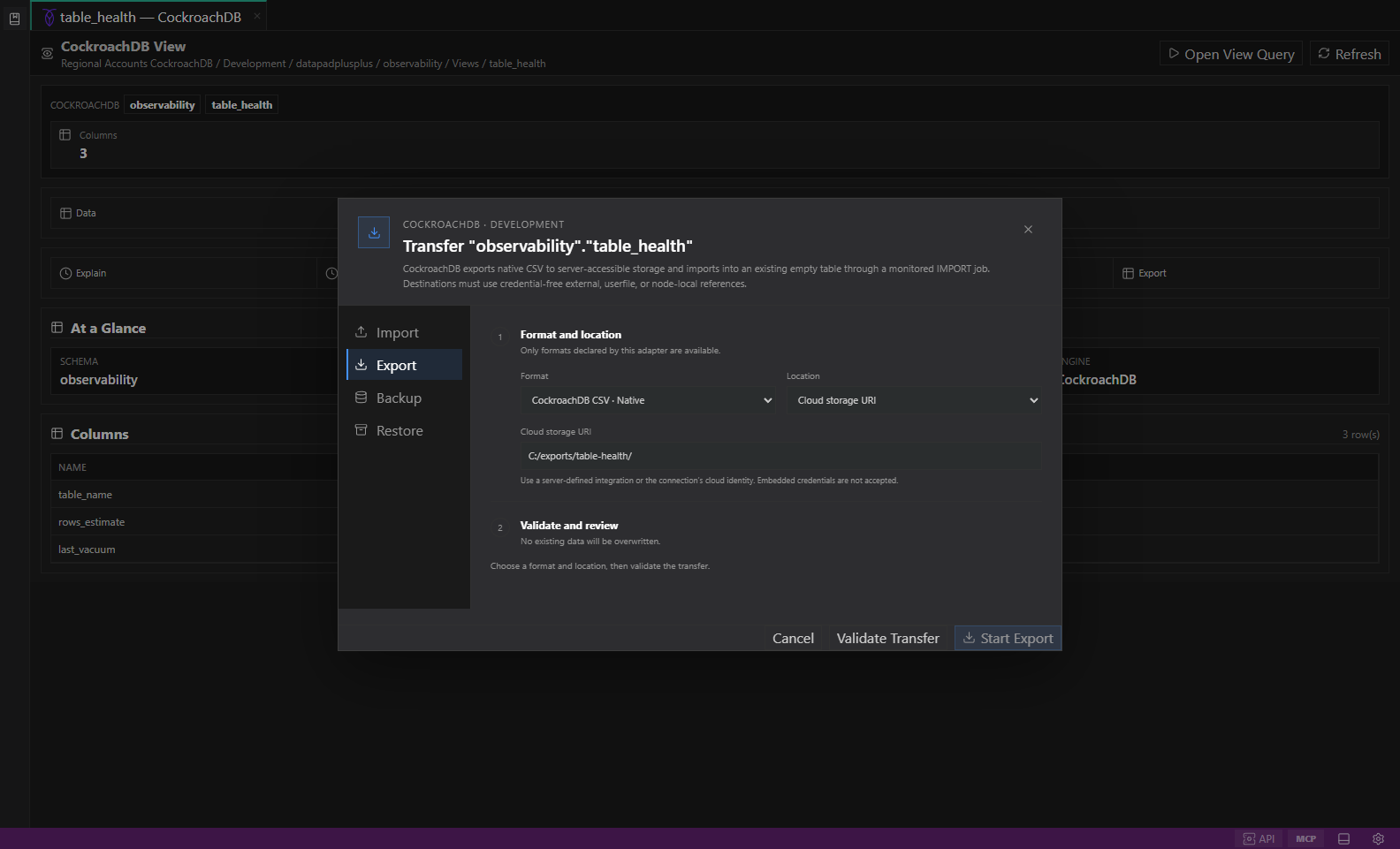
Native datastore transfer. Selected objects, native or portable formats, destination options, validation, and conflict-safe review. Open full size - 2
Confirm objects and format
The selected adapter exposes native formats plus clearly labelled portable or potentially lossy alternatives. Unsupported formats never appear as executable.
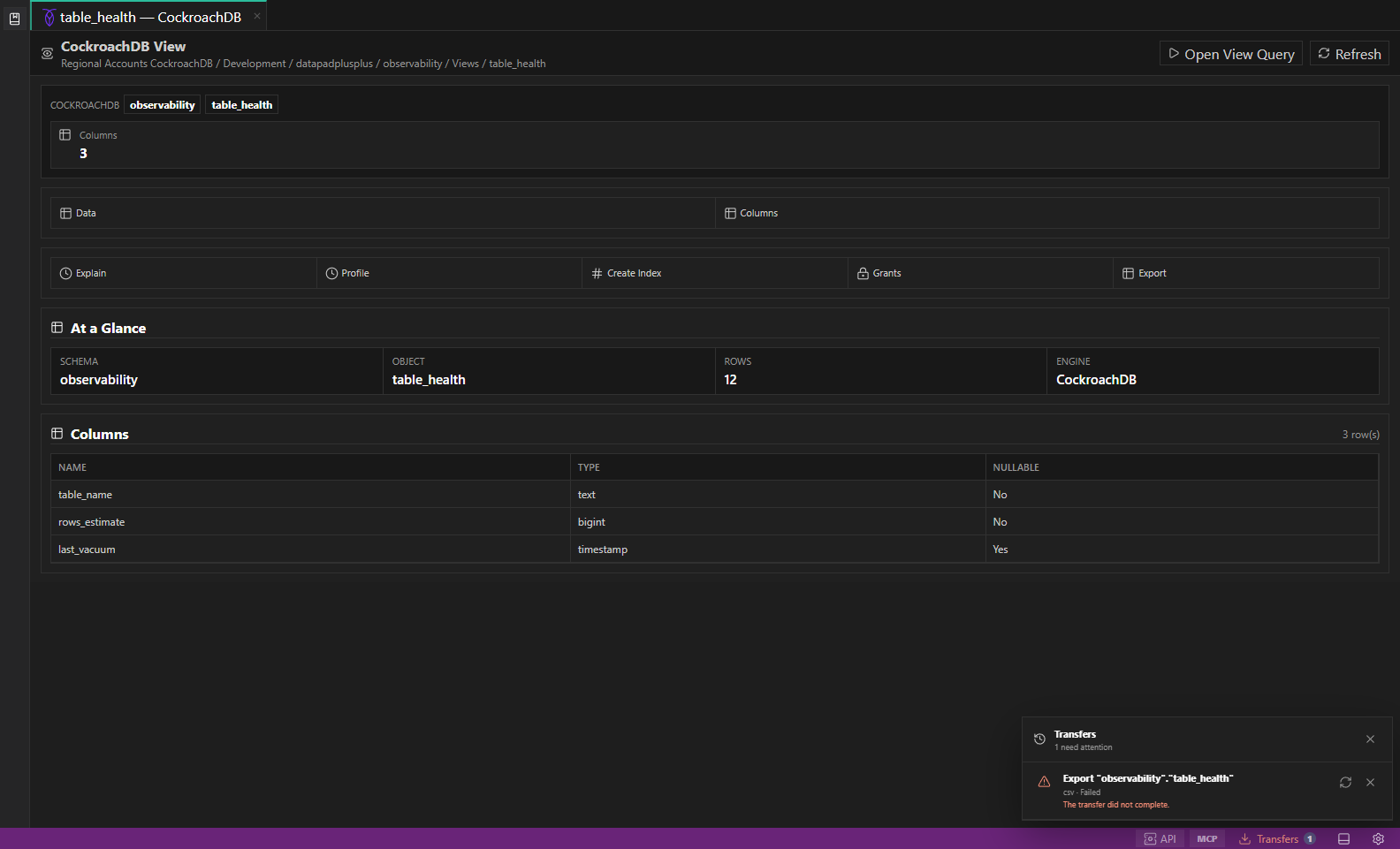
Transfers Center. Transfers Center shows a failed example transfer with its warning count, failure detail, retry control, and dismiss action. Open full size - 3
Choose the destination
Use an allowed local selection, server path, repository, directory object, named stage, cloud URI, or managed restore target. Full local paths stay backend-owned.
- 4
Validate and review
Review schema/type compatibility, permissions, locks, cost/scan impact, destination isolation, overwrite policy, and adapter-specific warnings. Imports fail on conflicts by default.
- 5
Follow the job
Transfers Center shows progress, cancellation, warnings, retry state, native job identifiers, and completed artifacts. Temporary local output is promoted only after success.
Task and control reference
The workbench keeps the active connection, environment, target scope, query mode, and panel state visible. Review that context before you run, edit, export, or administer anything.
Safety boundaries
Troubleshooting
| Symptom | What to check |
|---|---|
| A control is disabled | Read its disabled reason, then verify target scope, connection health, read-only mode, environment policy, and feature maturity. |
| The screen does not match this guide | Confirm the app version and platform, refresh the active tab, and check whether the feature is marked Experimental, Plan only, or Unavailable. |
| The operation produces no rows | Open Messages and History, verify the selected datastore scope, replace the sample object names with names from your datastore, and retry with a bounded read. |