
Datastore-specific guides
Search, DynamoDB, And Secondary Engines
Understand preview-first workflows for search, wide-column, cloud, graph, warehouse, metrics, and local engines.
Prerequisites
- Install the current DataPad++ desktop pre-release and open the workspace where you want to organize your connections and saved work.
- Have access to a datastore or database file you are authorized to inspect. Start read-only with a least-privileged account.
Quickstart
- 1
Choose the exact adapter
Pick Elasticsearch, OpenSearch, DynamoDB, Cassandra, Cosmos DB, ClickHouse, Snowflake, BigQuery, Prometheus, InfluxDB, graph engines, or local-file engines explicitly.
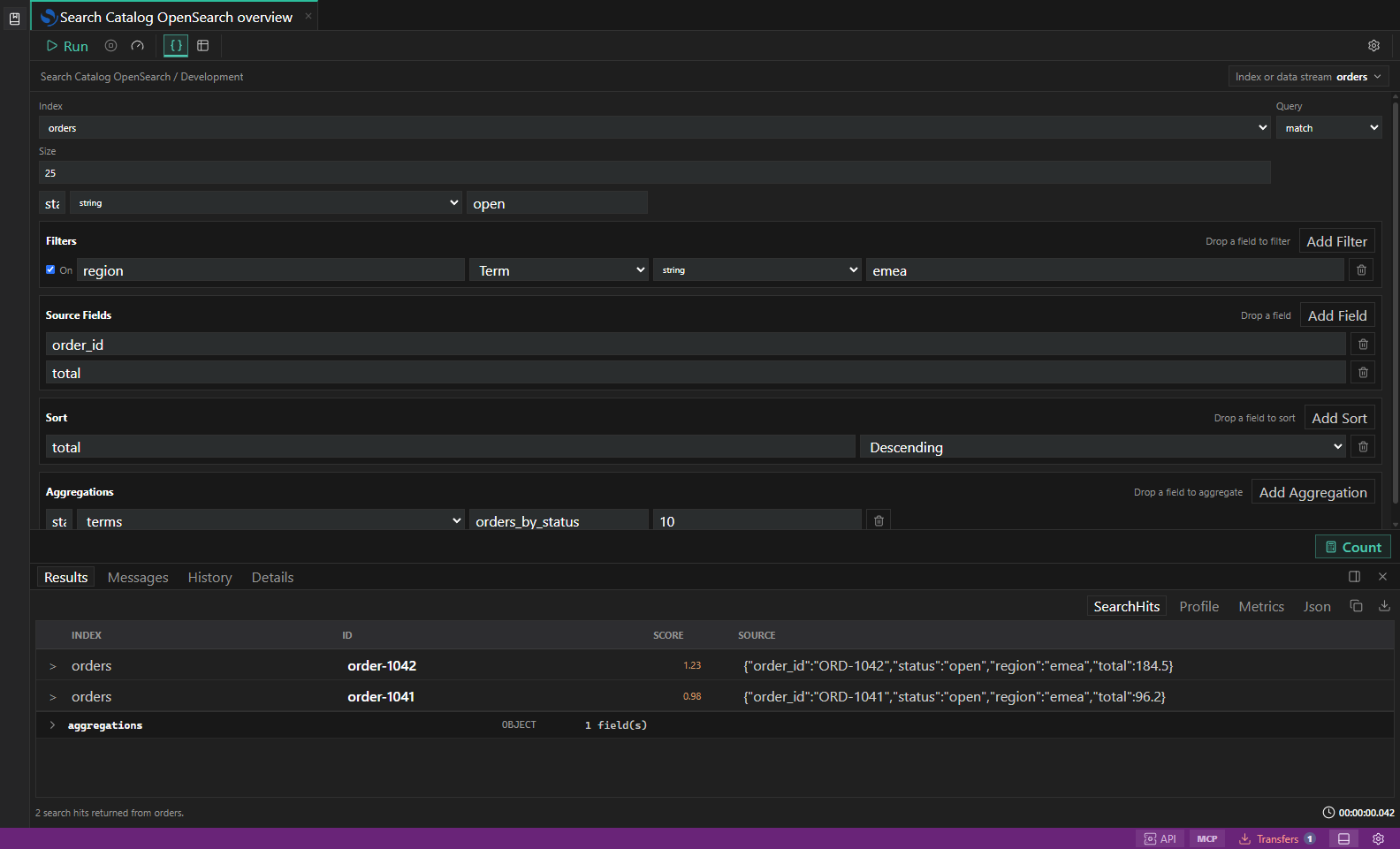
Search diagnostics. Index, mapping, profile, shard, and slow-log inspection surfaces. Open full size - 2
Read capability gates
Some adapters are read-oriented, scoped to particular authentication modes, or still in preview. Capability labels and disabled reasons tell you what is usable for the selected connection.
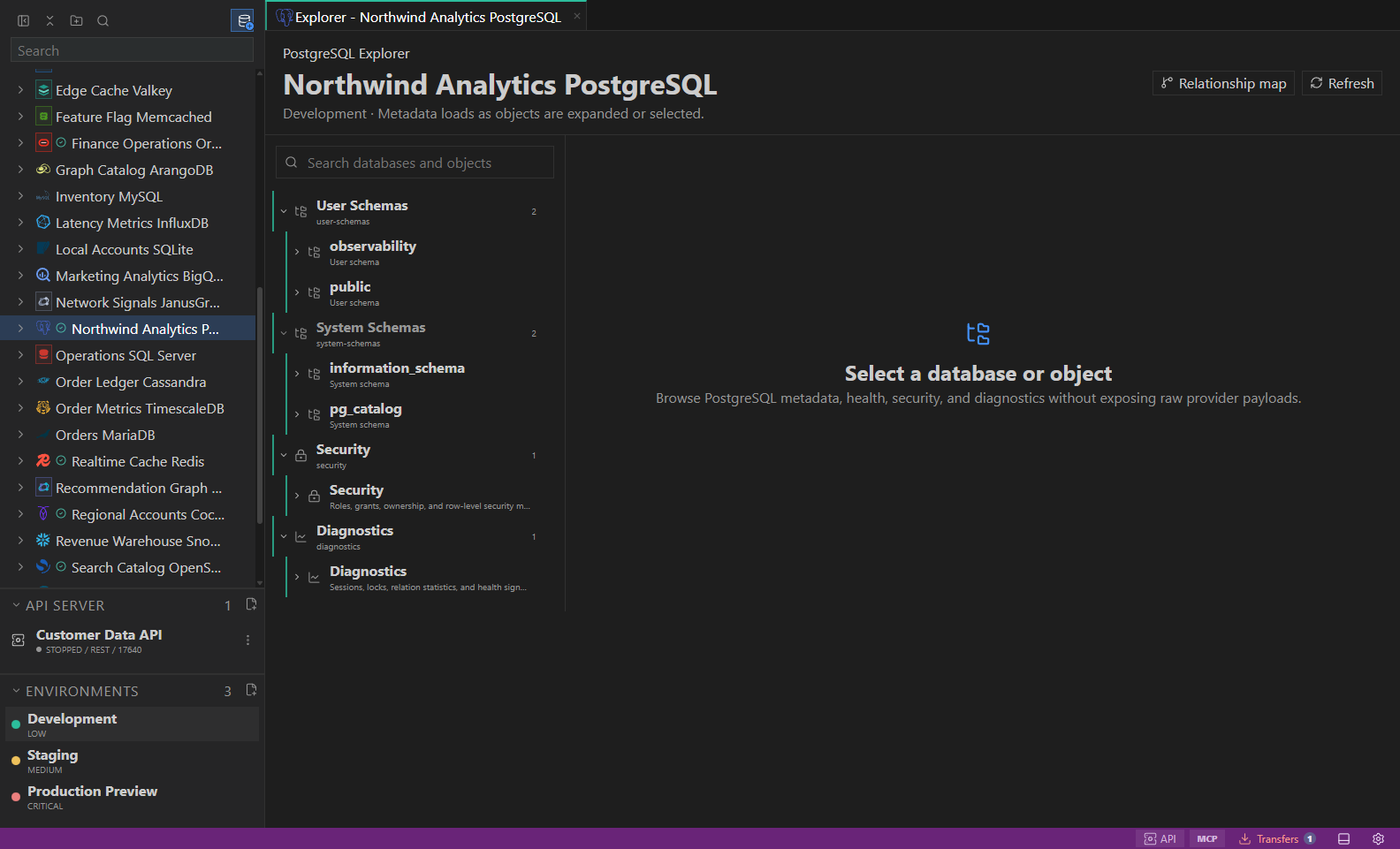
Object explorer. Datastore-owned tree with native objects and context actions. Open full size - 3
Use bounded builders
Start with key conditions, query DSL, metric labels, graph labels, partition keys, dry-run estimates, or local-file preflights before running broad operations.
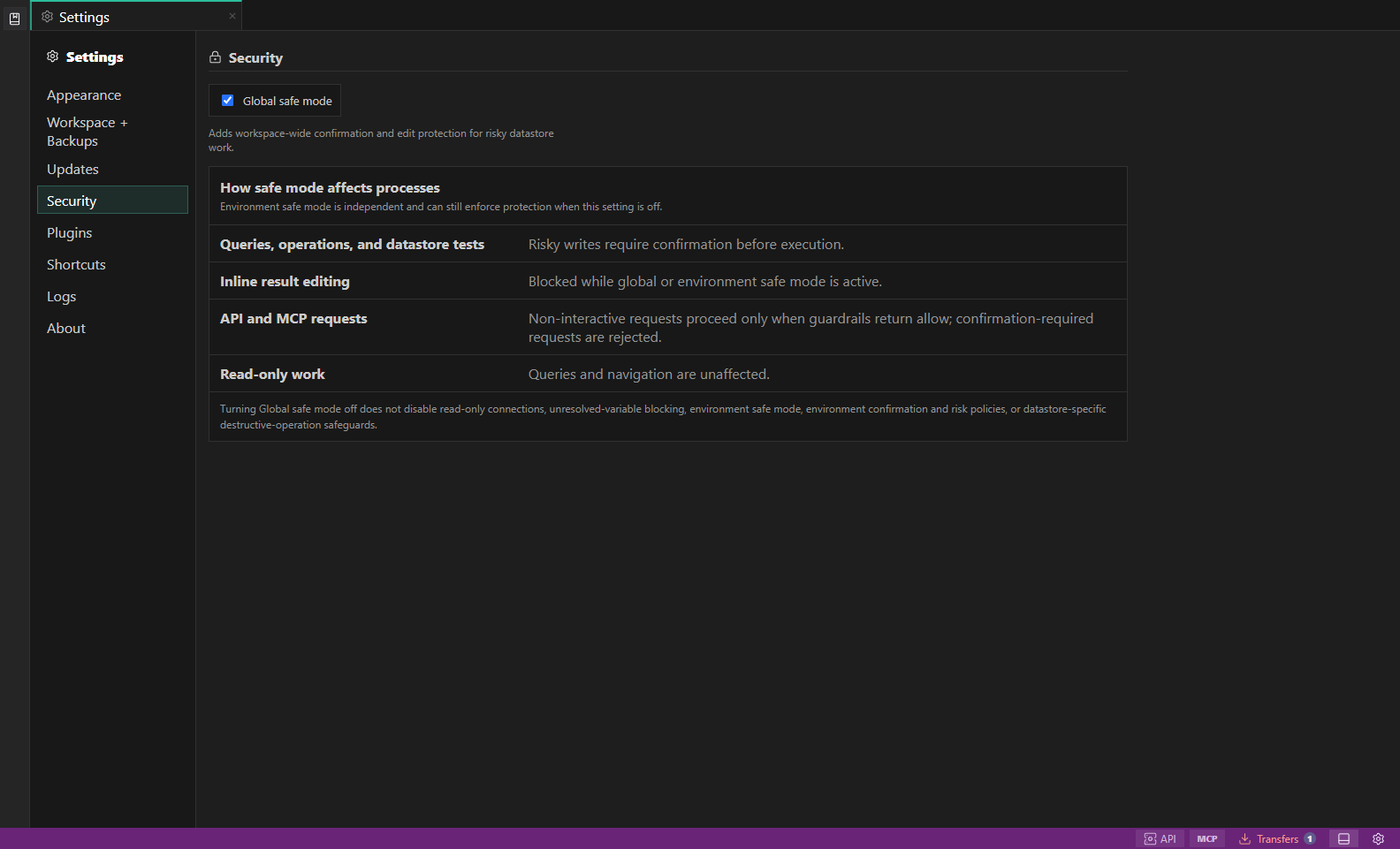
Security settings. Global safe mode explains how risky writes, inline edits, API and MCP requests, and read-only work are guarded. Open full size - 4
Inspect posture and diagnostics
Use mapping, shard, capacity, TTL, stream, cost, profile, metrics, access, storage, and health panels where available.
- 5
Treat admin actions as plans
Cloud, destructive, import/export, repair, failover, role, throughput, snapshot, and restore actions should stay preview-first unless a validated guarded executor is available.
Task and control reference
The workbench keeps the active connection, environment, target scope, query mode, and panel state visible. Review that context before you run, edit, export, or administer anything.
Safety boundaries
Troubleshooting
| Symptom | What to check |
|---|---|
| A control is disabled | Read its disabled reason, then verify target scope, connection health, read-only mode, environment policy, and feature maturity. |
| The screen does not match this guide | Confirm the app version and platform, refresh the active tab, and check whether the feature is marked Experimental, Plan only, or Unavailable. |
| The operation produces no rows | Open Messages and History, verify the selected datastore scope, replace the sample object names with names from your datastore, and retry with a bounded read. |