
Plugins
Connect Local MCP Clients
Use the desktop-only MCP Server with scoped tokens, setup snippets, metrics, and logs.
Prerequisites
- Open the workspace where you want this plugin to be available and review its current maturity in Settings → Plugins.
- Confirm the platform boundary: Desktop app; Streamable HTTP on a loopback endpoint.
- Use only connections, environments, resources, and credentials you are authorized to access.
Quickstart
- 1
Enable MCP Server in Plugins settings
Open Settings, choose Plugins, enable the experimental MCP Server plugin, then open the MCP Server workspace. The listener is local-only and does not auto-start unless configured.
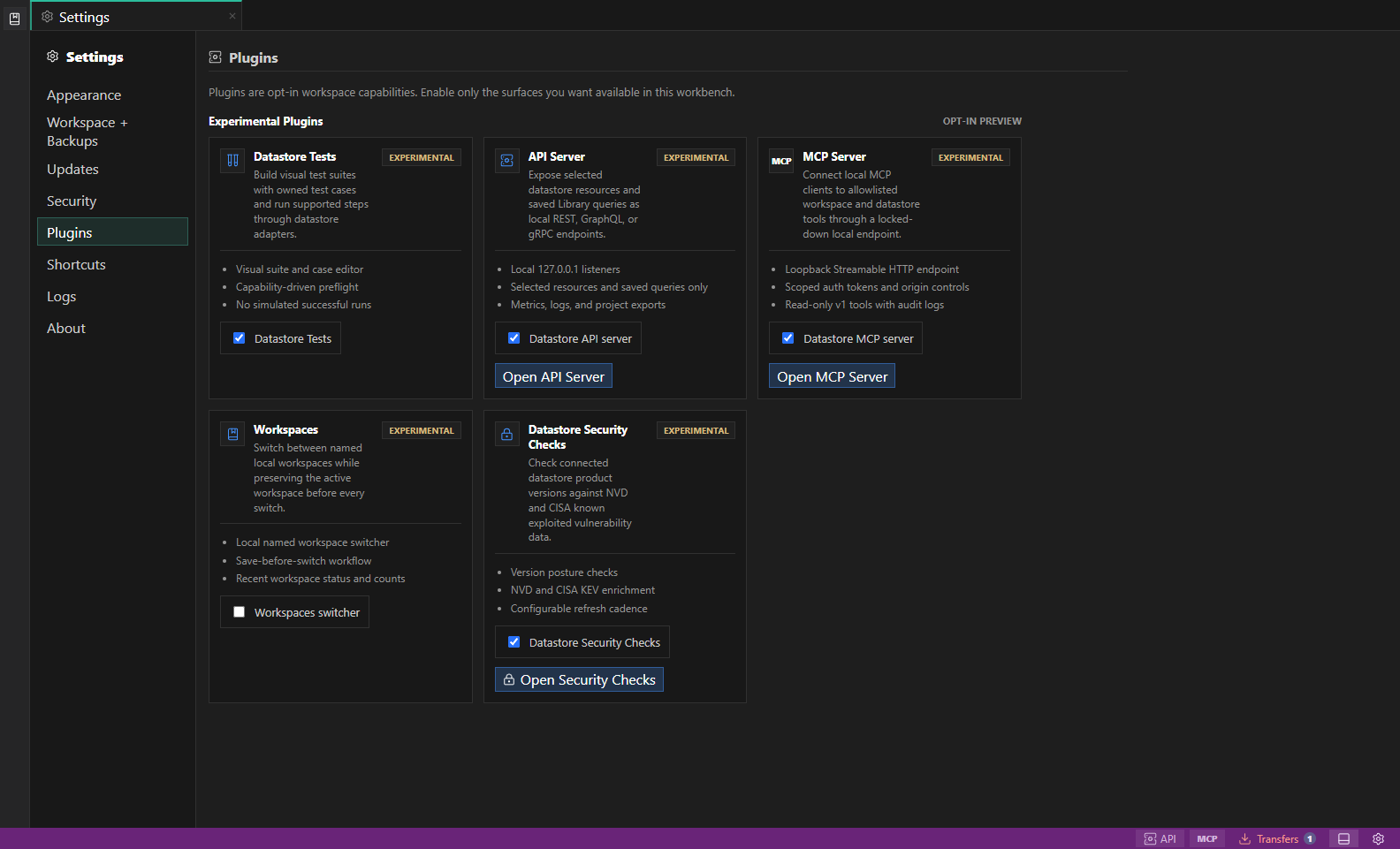
Experimental plugin settings. Experimental plugins identify their current feature boundary before you enable them for the workspace. Open full size - 2
Create or choose a server profile
Server profiles use 127.0.0.1, a local port, optional allowlisted origins, and explicit datastore or workspace scope choices.
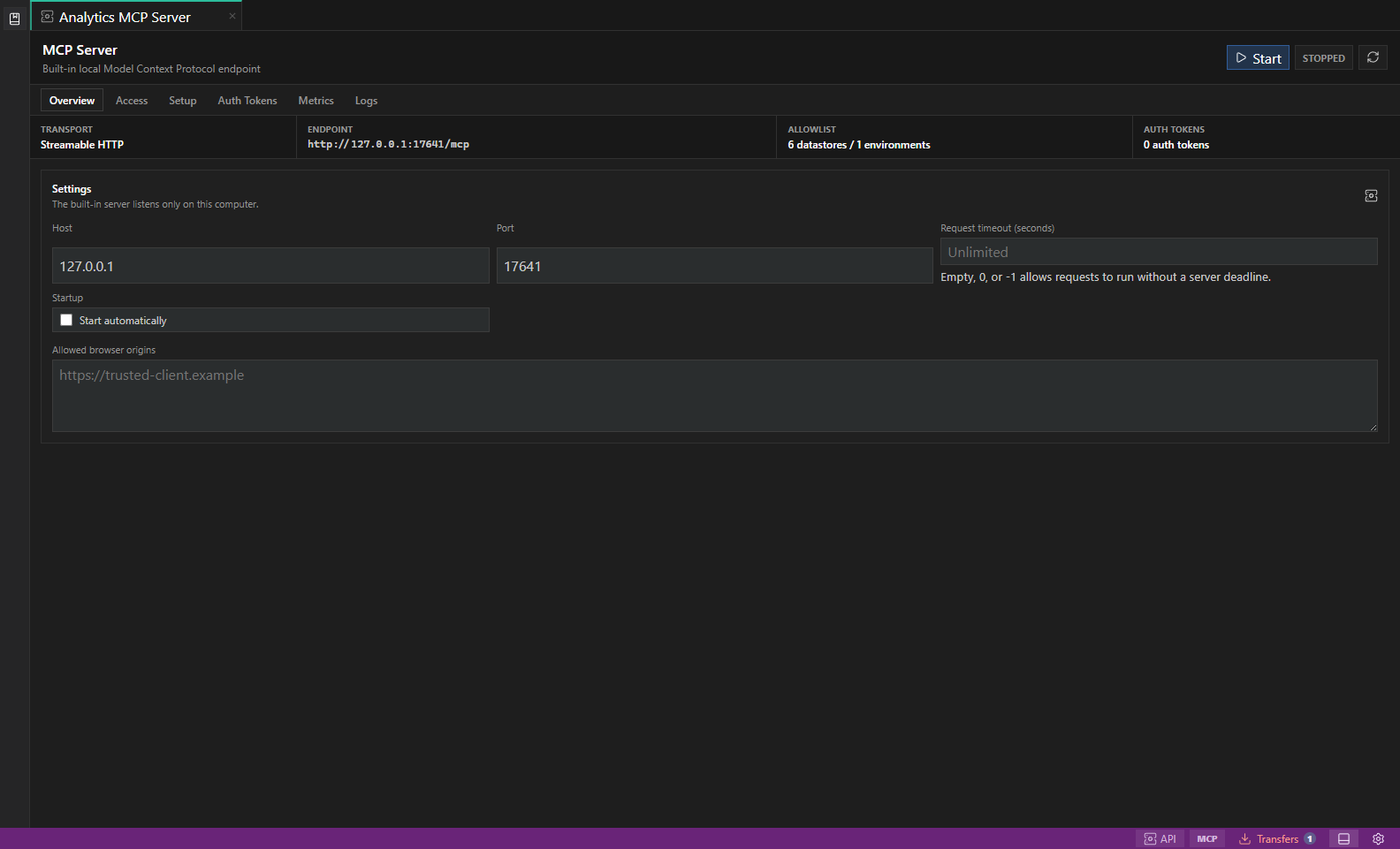
MCP Server setup. Desktop-only MCP endpoints, scoped auth tokens, client snippets, metrics, and logs. Open full size - 3
Create a scoped auth token
Tokens are shown only once. Store the raw token in an environment variable such as DATAPAD_MCP_TOKEN and rotate it if it is lost.
- 4
Copy or apply client setup
Use generated snippets for OpenAI Codex, VS Code and GitHub Copilot, Cursor, Claude Code, or Gemini CLI. Desktop automatic setup previews config changes and creates backups.
- 5
Start the endpoint and test access
MCP uses Streamable HTTP at /mcp and requires Authorization headers. Raw queries remain read-only. Saved queries and test suites use separate listing, editing, planning, and execution tools with explicit permissions and existing guardrails.
- 6
Discover enabled plugins
Tokens with plugin:read can call datapad_list_plugins to list Workspace Search, API Server, MCP Server, Workspaces, and Datastore Security Checks with required scopes and available MCP tools.
- 7
Use plugin surfaces with scoped rights
Workspace Search uses workspace:search, Security Checks uses security:read, API Server summaries use api-server:read, MCP Server summaries use mcp-server:read, and workspace listing uses workspaces:read. These metadata tools remain read-only.
- 8
Find and edit saved queries and test suites
Grant library:read and call datapad_list_saved_queries or datapad_list_test_suites without a search phrase. These list the Library even when Workspace Search is disabled. Get the item, then use its workspace ID, item ID and revision to update it with library:write. Builder filters are validated and recompiled; unsaved tabs and stale revisions are protected. Library access covers saved definitions across the active workspace and never resolves vault secrets.
- 9
Plan and run saved work
Use the saved-query or test-suite plan tool, review the target and confirmations, then start the run and poll datapad_get_run. Runs require query:read; potentially mutating steps also require query:write, and suites require tests:run. These permissions are opt-in. Connection allowlists, read-only settings, and Safe Mode still apply. Test providers currently cover PostgreSQL, SQLite, MongoDB, Redis, Valkey, and DynamoDB. Cancellation is not rollback; verify interrupted writes before retrying. Reconnect MCP after changing workspaces.
- 10
Review observability
Use server status, metrics, and logs to verify which clients connected and which scopes they used before keeping the server enabled.
Features
| Feature | How to use it |
|---|---|
| Scoped server profiles | Allowlist only the connections, environments, origins, and tool scopes a client needs. |
| One-time tokens | Create a token, copy it once into the client's secret or environment store, and rotate it when necessary. |
| Client setup | Copy generated setup for Codex, VS Code, Cursor, Claude Code, or Gemini CLI. |
| Read-only tools | List metadata, run bounded reads, search the workspace, and inspect enabled plugin summaries where scopes allow. |
| Plugin discovery | Use plugin:read to list enabled DataPad++ plugins and the MCP tools they expose. |
| Metrics and audit logs | Review client connections, requests, denials, latency, and token-scope usage. |
Availability and data boundary
| Area | Behavior |
|---|---|
| Maturity | Experimental |
| Availability | Desktop app; Streamable HTTP on a loopback endpoint. |
| Enablement | Current workspace preference. |
| Data boundary | Profiles allowlist connections and environments. Tokens carry explicit scopes, are shown once, and are stored as verifiers rather than recoverable plaintext. |
| When disabled | Client entry points become unavailable while profiles and token metadata remain available for later review. Stop the endpoint before disabling. |
Task and control reference
The workbench keeps the active connection, environment, target scope, query mode, and panel state visible. Review that context before you run, edit, export, or administer anything.
Safety boundaries
Troubleshooting
| Symptom | What to check |
|---|---|
| A control is disabled | Read its disabled reason, then verify target scope, connection health, read-only mode, environment policy, and feature maturity. |
| The screen does not match this guide | Confirm the app version and platform, refresh the active tab, and check whether the feature is marked Experimental, Plan only, or Unavailable. |
| The operation produces no rows | Open Messages and History, verify the selected datastore scope, replace the sample object names with names from your datastore, and retry with a bounded read. |