
Plugins
Choose And Manage Plugins
Understand every DataPad++ plugin, enable only what you need, and open its working surface.
Prerequisites
- Open DataPad++ and select the workspace where the capability should be available.
- Use the desktop app for native windows, local servers, network-backed security scans, and adapter-backed test execution.
Enable a plugin
- 1
Open Plugins settings
Open Settings from the status bar or a Settings tab, then choose Plugins.
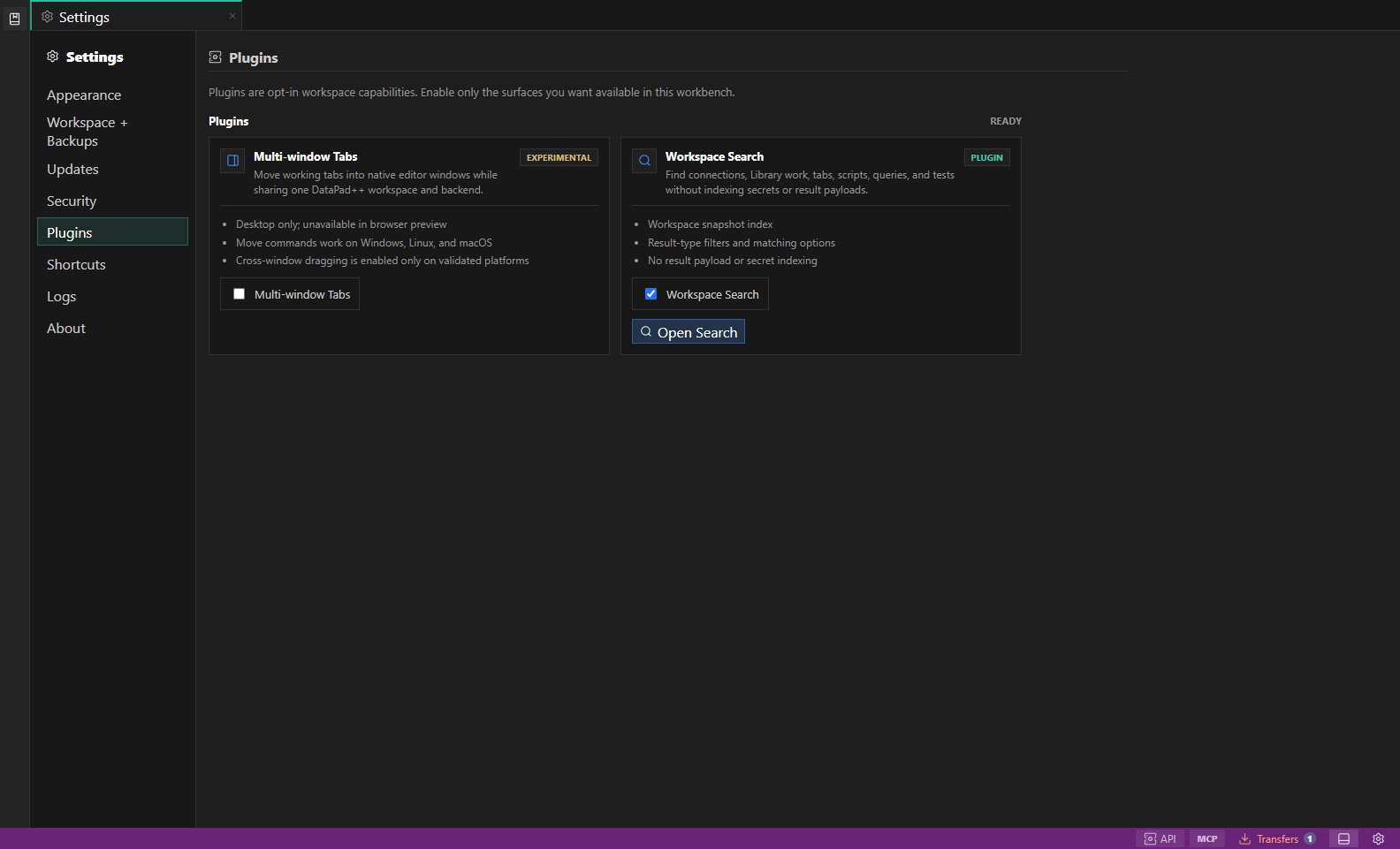
Plugin settings. The Plugins settings section shows each opt-in capability, its maturity, supported platforms, and enable control. Open full size - 2
Review maturity and platform notes
Read the badge, feature list, and disabled reason. Experimental plugins are opt-in previews and some require the desktop app.
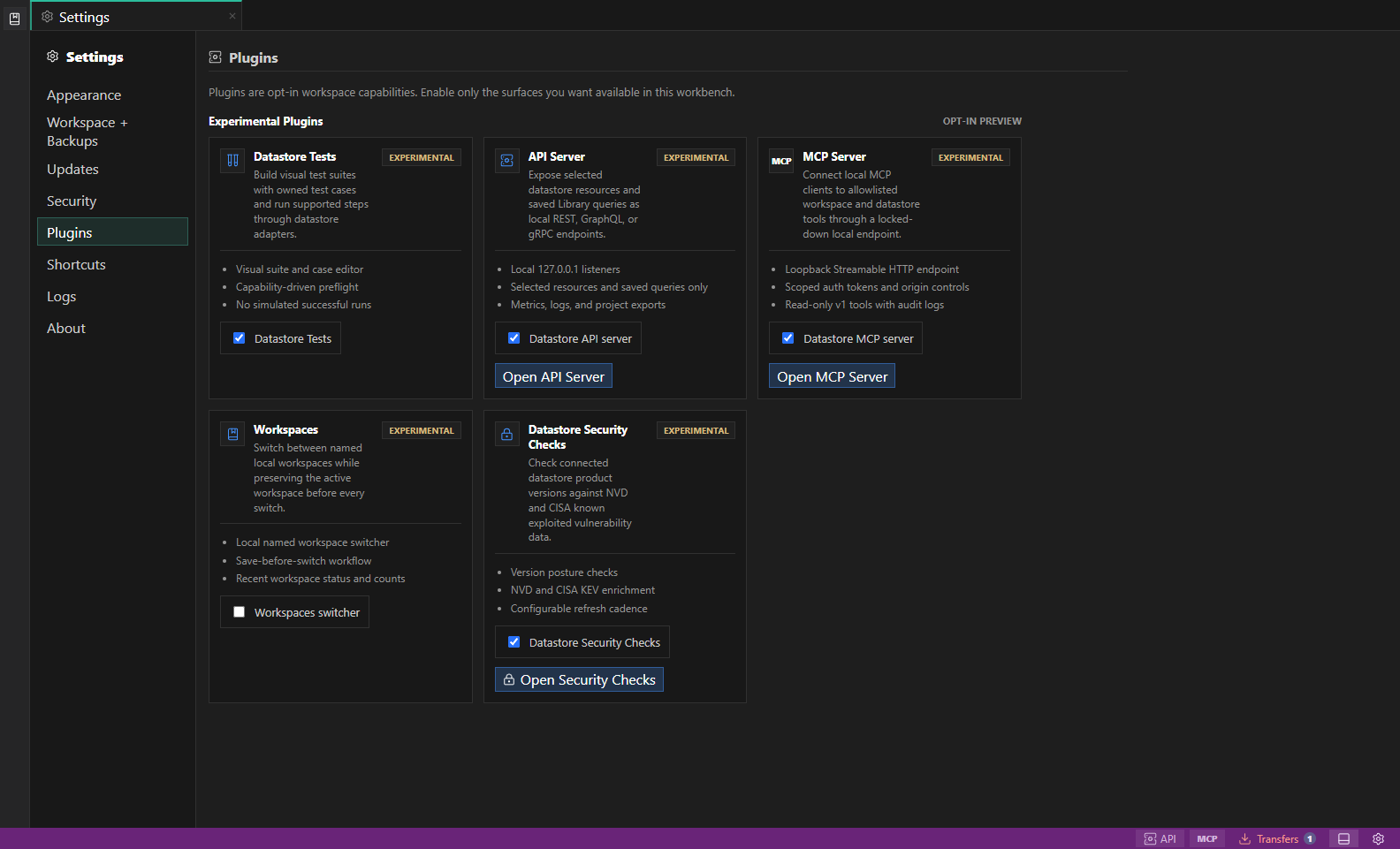
Experimental plugin settings. Experimental plugins identify their current feature boundary before you enable them for the workspace. Open full size - 3
Enable only the capability you need
Turn on the plugin for the current workspace. Workspaces uses the local application registry because it controls switching between workspace files.
- 4
Open its working surface
Use Open on the plugin card, its Library or status-bar entry point, or the relevant tab menu. The individual guides below show each path.
- 5
Verify the boundary before use
Confirm the selected connection, environment, allowlist, scopes, read-only state, and preview limitations before running a test or starting a local server.
Available plugins
| Plugin | Maturity | What it adds | Where it runs |
|---|---|---|---|
| Workspaces | Experimental | Create and switch between named local workspaces while preserving each workspace before a switch. | Desktop app; stored in the local application workspace registry. |
| Workspace Search | Live | Search workspace structure and saved work without indexing credentials or datastore result payloads. | Desktop app and browser preview for the currently loaded workspace. |
| Multi-window Tabs | Experimental | Move eligible working tabs into native editor windows while sharing one workspace and backend. | Desktop app on Windows, macOS, and Linux; cross-window drag depends on the validated WebView platform. |
| API Server | Experimental | Expose explicitly selected resources and saved read queries through a local development API. | Desktop app; local loopback listeners only. |
| MCP Server | Experimental | Give local MCP clients scoped discovery, saved-work editing, and explicitly authorized execution. | Desktop app; Streamable HTTP on a loopback endpoint. |
| Datastore Security Checks | Experimental | Review vulnerability and configuration-posture guidance for saved datastore connections. | Desktop app for network-backed refreshes; results are advisory. |
| Datastore Tests | Experimental | Build visual, target-bound test suites and run supported steps through the real datastore adapter. | Editor availability is workspace-scoped; live execution depends on the desktop adapter and target capability. |
Permissions, data, and disable behavior
Plugins are first-party opt-in capabilities. Enabling one does not grant new datastore permissions; the active connection account, environment policy, safe mode, and adapter capability still apply.
| Plugin | Enablement scope | When disabled |
|---|---|---|
| Workspaces | Application-local registry setting. | The switcher is hidden and the current workspace remains active. Existing workspace profiles stay on disk. |
| Workspace Search | Current workspace preference. | Search entry points are hidden; connections, tabs, scripts, queries, tests, and saved work are unchanged. |
| Multi-window Tabs | Current workspace preference. | Eligible tabs return to the main window. Running or queued work must finish or be cancelled first. |
| API Server | Current workspace preference. | Server entry points become unavailable while saved profiles remain in the workspace. Stop running profiles before disabling. |
| MCP Server | Current workspace preference. | Client entry points become unavailable while profiles and token metadata remain available for later review. Stop the endpoint before disabling. |
| Datastore Security Checks | Current workspace preference with a configurable refresh interval. | Refresh and workspace entry points are unavailable. Treat any previously viewed result as stale until the next successful refresh. |
| Datastore Tests | Current workspace preference. | Saved suites, cases, results, and drafts remain available. An active test run must finish or be cancelled before disabling. |
Troubleshooting
| Problem | What to check |
|---|---|
| The enable control is unavailable | Read the card's platform message, use the desktop app where required, and wait for active runs or movable tabs to become idle. |
| The plugin is enabled but its entry point is missing | Confirm the correct workspace is active, reopen Settings → Plugins, and inspect the status bar, Library sections, or tab menu documented in the plugin guide. |
| The plugin cannot access a datastore | Test the connection and verify its environment assignment, account permissions, read-only policy, resource allowlist, and adapter capability. |
| A server client is denied | Verify loopback URL, port, origin allowlist, bearer token, token expiry, and required scope without sharing the raw token. |