
Getting started
Run Your First Query
Connect to your datastore, select its scope, run a bounded read, and inspect the result.
Prerequisites
- Open DataPad++ and the workspace where you want to organize your own connections and saved work.
- Connect with an account you are authorized to use, and keep it read-only until your task requires a reviewed write.
Quickstart
- 1
Add and test a connection
In Library, choose Create connection, select your datastore and Connection method tab, enter endpoint or file details, and enable Read-only connection. Test connection when available, then Save Connection. Credentials save with the profile. To create a new local file, use Create Database and Save Connection instead.
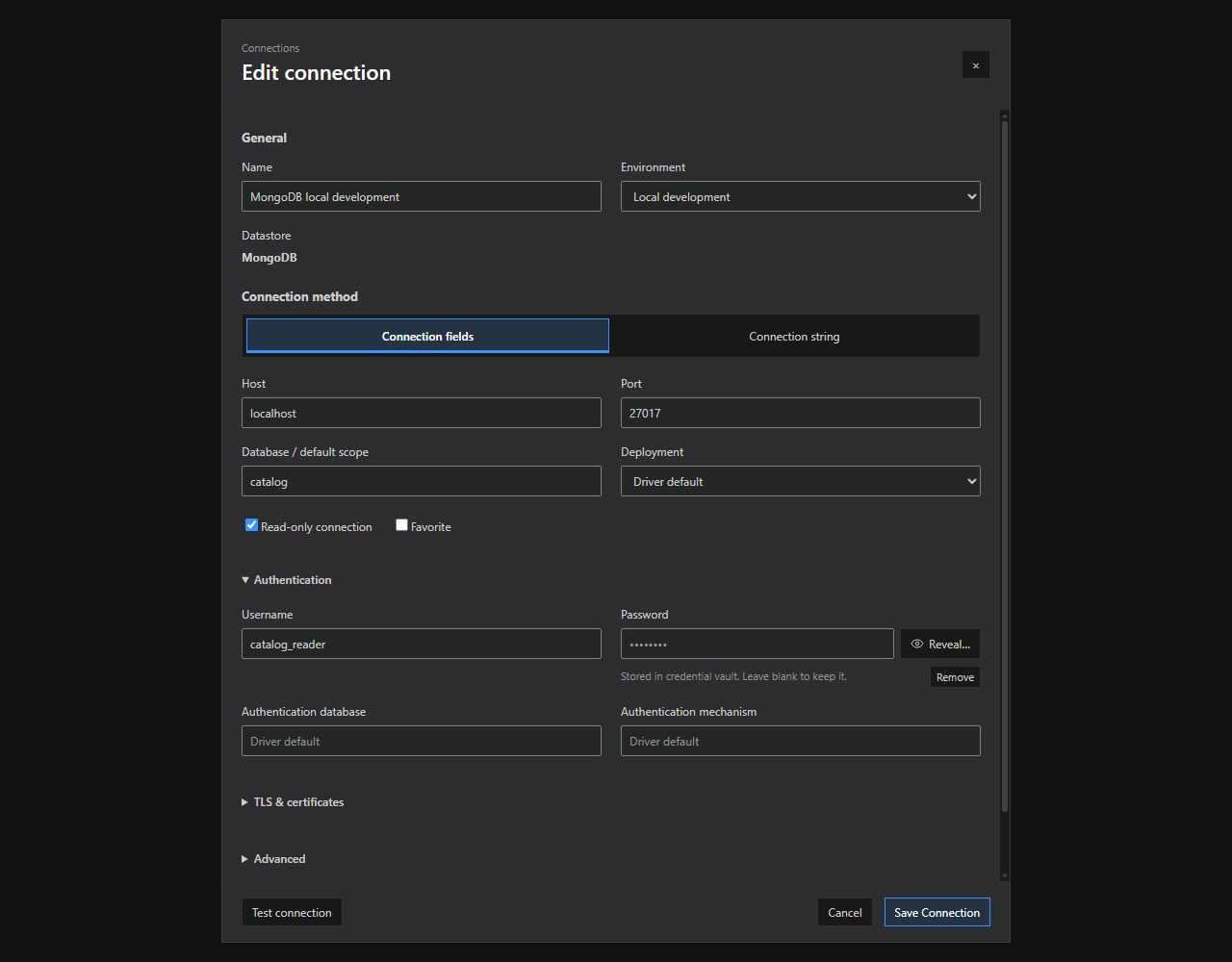
Connection editor. Connection method tabs, grouped options, and saved-credential controls in the current connection dialog. Open full size - 2
Open a query from Explorer
Expand the connection, choose a database/schema/container/index/bucket/graph scope, and open a new query so the tab inherits that context.
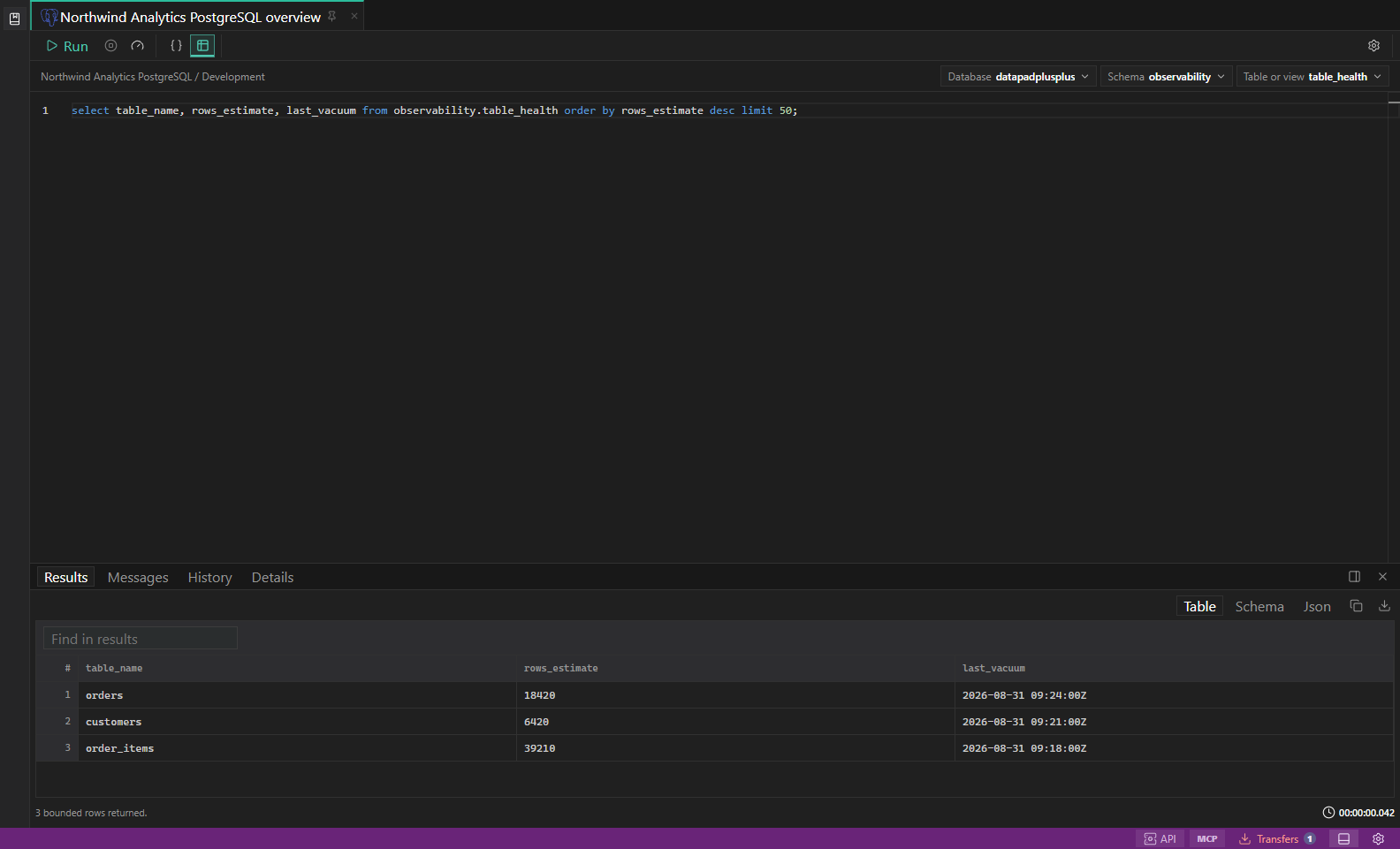
SQL query results. Editor, result grid, messages, and row selection in one workspace. Open full size - 3
Run a bounded read
Enter a read-only query with a row or document limit, then choose Run or press Ctrl/Cmd+Enter. Choose Cancel if the request is no longer useful.
- 4
Inspect the run
Review Results, Messages, History, and Details. Use Explain or Ctrl/Cmd+Shift+E only when the selected query mode and datastore expose a safe plan.
- 5
Save the tab
Press Ctrl/Cmd+S, choose a Library location, and use a task-specific name that does not contain credentials or customer identifiers.
Task and control reference
| Surface or task | How to use it |
|---|---|
| Run | Executes the active selection or document with the current connection, scope, query mode, and safety policy. |
| Cancel | Requests cancellation for the active execution; server-side completion can still depend on the datastore. |
| Explain | Shows a plan for supported safe reads; Explain Analyze or equivalent may execute the statement and is labeled separately. |
| Connection context | Changes the tab target without changing another tab. Recheck database/schema/container scope afterward. |
Common failure states
| Problem | Resolution |
|---|---|
| The expected surface is hidden | Use the activity bar, View command, status-bar entry point, or Ctrl/Cmd+J for the panel and Ctrl/Cmd+B for the sidebar. |
| The tab has stale context | Refresh the tab, reselect its connection and scope, or open a new tab from the intended Explorer object. |
| A preview cannot execute | The feature may be preview-only for that datastore. Keep the generated plan or use the documented native-tool fallback. |